PIVI & پرسیارە باوەکانی PIVI PRO
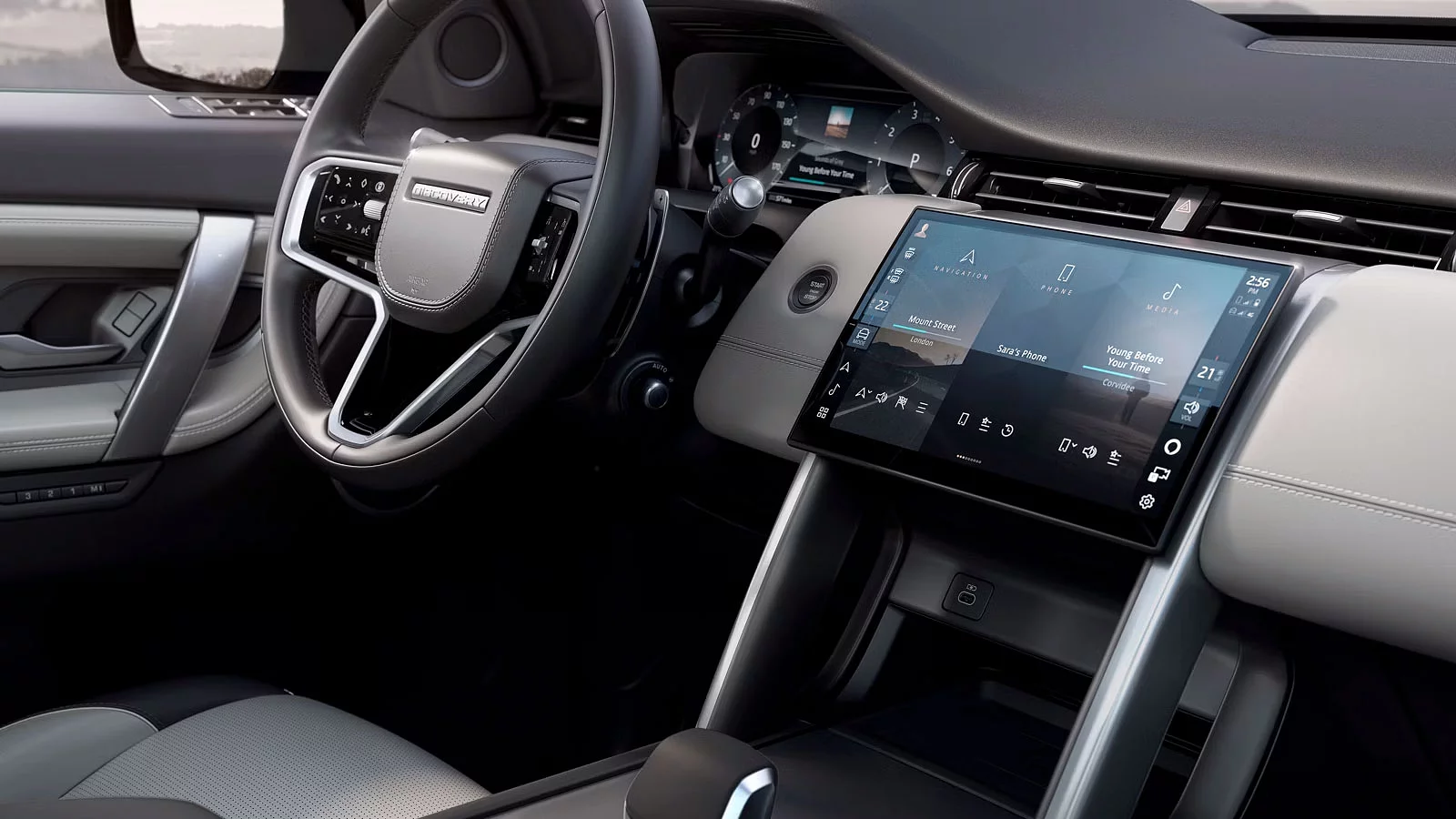
Find the answers to our most frequently asked questions about Land Rover infotainment and our connected services.
سەلامەتی و ئاسایش
What is Remote?
The Remote App lets you connect to your vehicle from your smartphone. You can check your vehicle’s status and control key features remotely - such as locking or unlocking the doors, or pre-heating and cooling the cabin before you start your journey.
Note: Features dependent on powertrain, market legislation and/or market availability, please check with your Retailer for local market availability and full terms.
Note: Available to download via the Apple App Store or Google Play for most Android and Apple iOS smartphones. Land Rover Remote App requires network connectivity, a compatible smartphone, an InControl account and a Remote subscription. To continue using the relevant feature after its initial subscription period, you will need to renew your subscription and pay the applicable renewal charges.
What are the benefits of Remote?
Connect to your vehicle anywhere, at any time.
- Monitor your vehicle's range effortlessly
- Stay updated on your vehicle's security status
- Find your vehicle on a map
- Track and manage your vehicle's mileage with an exportable journey history
Note: Features dependent on powertrain, market legislation and/or market availability, please check with your Retailer for local market availability and full terms.
Note: Available to download via the Apple App Store or Google Play for most Android and Apple iOS smartphones. Land Rover Remote App requires network connectivity, a compatible smartphone, an InControl account and a Remote subscription. To continue using the relevant feature after its initial subscription period, you will need to renew your subscription and pay the applicable renewal charges.
Can I have one account and download the Remote App onto more than one device?
Yes. It is possible to download the Remote App to more than one device.
Note: Each account should have its own set of credentials and should not be shared, passwords should be unique to ensure security.
How can I check my vehicle's status?
Simply open the Remote App to check your vehicle's status, including its last parked location and current fuel level or EV range. Your app will highlight any issues and give guidance on how to resolve them.
Note: Features dependent on powertrain, market legislation and/or market availability, please check with your Retailer for local market availability and full terms.
Note: Available to download via the Apple App Store or Google Play for most Android and Apple iOS smartphones. Land Rover Remote App requires network connectivity, a compatible smartphone, an InControl account and a Remote subscription. To continue using the relevant feature after its initial subscription period, you will need to renew your subscription and pay the applicable renewal charges.
How can I locate my vehicle in a crowded car park?
Using the “Beep and Flash” feature will turn on your vehicle's hazard lights, dipped headlights, and produce an audible alert to locate it in a crowded car park.
Note: Features dependent on powertrain, market legislation and/or market availability, please check with your Retailer for local market availability and full terms.
Note: Available to download via the Apple App Store or Google Play for most Android and Apple iOS smartphones. Land Rover Remote App requires network connectivity, a compatible smartphone, an InControl account and a Remote subscription. To continue using the relevant feature after its initial subscription period, you will need to renew your subscription and pay the applicable renewal charges.
Can my location be tracked in real time?
Vehicles cannot be actively tracked unless an SOS Emergency Call or Optimised Land Rover Assistance call is made or triggered. In such event, the vehicle's location will be sent automatically to the appropriate emergency services. In addition, if you have a Secure Tracker subscription and have confirmed your vehicle as stolen then the location of your vehicle will be actively tracked by the Stolen Vehicle Tracking Centre.
Note: Land Rover uses location information to provide services such as SOS Emergency Call and Optimised Roadside Assistance. In the event of an assistance call, location information is shared. In the event of a reported vehicle theft, real-time location information, where available, is passed onto our Stolen Vehicle Tracking partner.
What happens if my vehicle is left unlocked?
If you forget to lock your vehicle and it is left unlocked for 15 minutes, you will receive a reminder to secure your vehicle and the option to do so via Remote Door Lock.
Note: Vehicle Lock Reminders needs to be enabled in the Security Settings in the Remote App.
Note: Features dependent on powertrain, market legislation and/or market availability, please check with your Retailer for local market availability and full terms.
Note: Available to download via the Apple App Store or Google Play for most Android and Apple iOS smartphones. Land Rover Remote App requires network connectivity, a compatible smartphone, an InControl account and a Remote subscription. To continue using the relevant feature after its initial subscription period, you will need to renew your subscription and pay the applicable renewal charges.
Can I track and manage my vehicle's mileage?
The Journeys feature allows you to record, save and export journey information. A journey is logged after the vehicle has travelled more than 0.6 miles (1km) and the engine is then switched off. The route can be viewed on a map and the distance, efficiency, time taken and average speed can all be retrieved. Journey information can be viewed, deleted or exported into an Excel spreadsheet for expense purposes.
The Journeys functionality is available in the Remote App and through the InControl website. When you create your InControl account, you will be asked to select your journey preferences. It is set to OFF by default.
Note: If you decide to enable Journeys you will be able to delete some or all journeys through the Remote App or the InControl website.
How do I enable or disable Journeys?
The Journeys functionality can be enabled or disabled in the Remote App and on the My Land Rover in InControl website. To view or change the status of the functionality go to "Vehicle settings" in the Remote App or on the My Land Rover InControl website. Switch the Journeys toggle to "ON" if you want to enable Journeys, or "OFF" if you want to disable it. You will then be asked to enter your PIN and save your change.
Why can’t I find the Journeys function in My Remote Apple Watch App?
کارایی گەشتەکان تەنها لە ئەپی Remote لە ئایفۆنەکەتدا بەردەستە، یان لە ڕێگەی وێب پۆرتاڵی My Land Rover InControl.
Can I control the temperature of my vehicle remotely?
Simply open the Remote App to check your vehicle's status, including its last parked location and current fuel level or EV range. Your app will highlight any issues and give guidance on how to resolve them.
Note: Features dependent on powertrain, market legislation and/or market availability, please check with your Retailer for local market availability and full terms.
Note: Available to download via the Apple App Store or Google Play for most Android and Apple iOS smartphones. Land Rover Remote App requires network connectivity, a compatible smartphone, an InControl account and a Remote subscription. To continue using the relevant feature after its initial subscription period, you will need to renew your subscription and pay the applicable renewal charges.
Note: Certain countries may prohibit or restrict the use of the remote engine start function. You must make yourself aware of, and you must comply with, all local laws in each country in which you intend to use or are using the remote Engine Start function.
How does the Remote Climate feature work?
Depending on your vehicle type and market, the Remote App lets you pre-condition your vehicle using one of the following:
- Engine Start (for automatic transmission)
- Fuel Fired Heater (for manual transmission with Park Heat option)
- Electric Vehicle Climate Control (for EVs)
For vehicles with an automatic transmission:
The engine is used to pre-condition the vehicle.
You can set a target temperature and start the engine remotely via the Remote App by pressing 'engine start' and entering your InControl PIN.
For vehicles with a manual transmission:
If equipped with the Park Heat option, the Fuel Fired Heater is used.
To pre-condition, press 'start' in the Remote App and enter your InControl PIN.
The system will automatically choose to heat or vent based on the current temperature.
Note: Features dependent on powertrain, market legislation and/or market availability, please check with your Retailer for local market availability and full terms.
Note: Available to download via the Apple App Store or Google Play for most Android and Apple iOS smartphones. Land Rover Remote App requires network connectivity, a compatible smartphone, an InControl account and a Remote subscription. To continue using the relevant feature after its initial subscription period, you will need to renew your subscription and pay the applicable renewal charges.
Note: Certain countries may prohibit or restrict the use of the remote engine start function. You must make yourself aware of, and you must comply with, all local laws in each country in which you intend to use or are using the remote Engine Start function.
What is Remote Cabin Cleaning?
Remote Cabin Cleaning allows you to purify the air inside your vehicle before starting your journey - without starting the engine. This feature helps improve cabin air quality for a fresher, more comfortable ride.
Note: Features dependent on powertrain, market legislation and/or market availability, please check with your Retailer for local market availability and full terms.
Note: Available to download via the Apple App Store or Google Play for most Android and Apple iOS smartphones. Land Rover Remote App requires network connectivity, a compatible smartphone, an InControl account and a Remote subscription. To continue using the relevant feature after its initial subscription period, you will need to renew your subscription and pay the applicable renewal charges.
Note: The PM2.5 filtration and Nanoe TM X technology may significantly reduce odours, bacteria, pathogens and allergens, when used as directed.
Why can’t I lock or unlock my vehicle/use beep and flash/use Remote Climate Control from the App?
Features are dependent on powertrain, market legislation and market availability. Please check with your retailer for local market availability.
Note: Features dependent on powertrain, market legislation and/or market availability, please check with your Retailer for local market availability and full terms.
Note: Available to download via the Apple App Store or Google Play for most Android and Apple iOS smartphones. Land Rover Remote App requires network connectivity, a compatible smartphone, an InControl account and a Remote subscription. To continue using the relevant feature after its initial subscription period, you will need to renew your subscription and pay the applicable renewal charges.
On models with an electric sunroof will the Remote Lock feature close the sunroof?
نەخێر، تایبەتمەندی Remote Lock سەقفی سلاید داناخات.
Note: Please ensure the sunroof is closed for security reasons before leaving your vehicle.
Why are some/all of the Remote feature buttons greyed out on my version of the Remote App?
Remote feature buttons may be disabled when certain conditions prevent their use. If you try to activate a disabled feature, the app will show an error message explaining the reason.
Common reasons include:
- بزوێنەرەکە لە ئێستاوە کاردەکات
- No internet connection
- Another operation is currently in progress
- The vehicle alarm has been triggered (in this case, only the Alarm Reset function will be available)
Note: Features dependent on powertrain, market legislation and/or market availability, please check with your Retailer for local market availability and full terms.
Note: Available to download via the Apple App Store or Google Play for most Android and Apple iOS smartphones. Land Rover Remote App requires network connectivity, a compatible smartphone, an InControl account and a Remote subscription. To continue using the relevant feature after its initial subscription period, you will need to renew your subscription and pay the applicable renewal charges.
Why do I receive an error message when I request a Remote Climate operation?
You may see an error message when trying to use Remote Climate if certain conditions are not met. For the feature to work, the following must be true:
- The park brake can be engaged
- The engine temperature is between -30°C and 117°C
- No errors are detected in essential vehicle systems
Remote Climate will not work if:
- The vehicle's fuel level is low.
- The vehicle's battery charge level is low.
- The vehicle is not locked.
- A window, door, bonnet or the tailgate is open.
- The engine has been manually started.
- A system error occurs.
- A theft has been reported to the stolen vehicle monitoring centre.
- A crash event has been detected.
- The hazard warning lights are switched on.
- The automatic transmission is not in Park (P).
- The brake pedal or accelerator pedal is pressed.
If you're still having trouble, please check the resolution guide or Digital Handbook. The FAQ section may also be able to assist, or contact Customer Support for further help.
Note: Features dependent on powertrain, market legislation and/or market availability, please check with your Retailer for local market availability and full terms.
Note: Available to download via the Apple App Store or Google Play for most Android and Apple iOS smartphones. Land Rover Remote App requires network connectivity, a compatible smartphone, an InControl account and a Remote subscription. To continue using the relevant feature after its initial subscription period, you will need to renew your subscription and pay the applicable renewal charges.
Why do I receive an error message when I request a Remote App operation?
Remote App operations can only be carried out if certain vehicle pre-conditions are met. Before processing any remote command, the vehicle checks these conditions.
If one or more of these conditions are not satisfied, the Remote App will display an error message explaining the specific reason the operation could not be completed.
Note: Features dependent on powertrain, market legislation and/or market availability, please check with your Retailer for local market availability and full terms.
Note: Available to download via the Apple App Store or Google Play for most Android and Apple iOS smartphones. Land Rover Remote App requires network connectivity, a compatible smartphone, an InControl account and a Remote subscription. To continue using the relevant feature after its initial subscription period, you will need to renew your subscription and pay the applicable renewal charges.
Why does the climate function show a different temperature than the one I set up using the Remote App?
After using the Remote Climate feature, the vehicle will revert to the last in-car climate setting once the engine is started. This means the temperature shown on the vehicle’s display may not match the one you set in the App.
Note: The features available on the Remote App depend on your vehicle's powertrain, market legislation, and market availability.
Note: Features dependent on powertrain, market legislation and/or market availability, please check with your Retailer for local market availability and full terms.
Note: Available to download via the Apple App Store or Google Play for most Android and Apple iOS smartphones. Land Rover Remote App requires network connectivity, a compatible smartphone, an InControl account and a Remote subscription. To continue using the relevant feature after its initial subscription period, you will need to renew your subscription and pay the applicable renewal charges.
Will the SOS Emergency Call feature remain active if I don't renew my subscription?
Yes, but with limitations. While a basic emergency call service will stay active for 10 years from the start of your warranty period, JLR emergency service providers might not have access to your personal contact details (name, address, mobile number) if you don't renew.
This means they'll use your vehicle's location data to reach you but might not have access to your personal contact details during the emergency call. To ensure they have your information, keep your vehicle associated with your InControl account.
Note: Features dependent on powertrain, market legislation and/or market availability, please check with your Retailer for local market availability and full terms.
How do I get the Remote App on my Apple Watch?
Once you’ve downloaded the Remote App to your iPhone, follow Apple’s instructions on how to download apps to the Apple Watch at https://support.apple.com/HT204784
What is Secure Tracker?
Secure Tracker is a stolen vehicle tracking system that helps protect your vehicle. If someone tries to steal or tamper with your vehicle, it sends an alert and shares the vehicle’s location with a tracking centre. They will work with the police to help recover your vehicle in the case of a confirmed theft.
Secure Tracker Pro offers extra protection. It checks that the vehicle is being used with an authorised Smart Key. If the vehicle is moved without the correct key, it alerts the Stolen Vehicle Tracking Centre right away.
Note: Remote, Secure Tracker or Secure Tracker Pro subscription and InControl account required. Secure Tracker and Secure Tracker Pro services need to be activated and the vehicle must be in an area with network coverage. To continue using the relevant feature after its initial subscription period, you will need to renew your subscription and pay the applicable renewal charges.
تایبەتمەندییە هەڵبژاردەییەکان و بەردەستبوونیان ڕەنگە بەپێی تایبەتمەندییەکانی ئۆتۆمبێل (مۆدێل و پاوەرتراین) جیاواز بن، یان پێویستیان بە دانانی تایبەتمەندییەکانی دیکە هەبێت بۆ ئەوەی دابنرێن. تکایە پەیوەندی بە فرۆشیاری ناوخۆیی خۆتەوە بکە بۆ زانیاری زیاتر، یان ئۆتۆمبێلەکەت بە شێوەی ئۆنلاین ڕێکبخە.
How does Secure Tracker work?
Secure Tracker shares the vehicle’s location with the Stolen Vehicle Tracking Centre. This information will be passed to the police to help trace your vehicle in the case of a confirmed theft.
Note: Remote, Secure Tracker or Secure Tracker Pro subscription and InControl account required. Secure Tracker and Secure Tracker Pro services need to be activated and the vehicle must be in an area with network coverage. To continue using the relevant feature after its initial subscription period, you will need to renew your subscription and pay the applicable renewal charges.
تایبەتمەندییە هەڵبژاردەییەکان و بەردەستبوونیان ڕەنگە بەپێی تایبەتمەندییەکانی ئۆتۆمبێل (مۆدێل و پاوەرتراین) جیاواز بن، یان پێویستیان بە دانانی تایبەتمەندییەکانی دیکە هەبێت بۆ ئەوەی دابنرێن. تکایە پەیوەندی بە فرۆشیاری ناوخۆیی خۆتەوە بکە بۆ زانیاری زیاتر، یان ئۆتۆمبێلەکەت بە شێوەی ئۆنلاین ڕێکبخە.
Will Secure Tracker help to reduce my insurance premium?
The Secure Tracker and Secure Tracker Pro both meet Thatcham classification standards and are recognised by insurance companies. This means you might be eligible for a discount on your vehicle insurance.
Note: Remote, Secure Tracker or Secure Tracker Pro subscription and InControl account required. Secure Tracker and Secure Tracker Pro services need to be activated and the vehicle must be in an area with network coverage. To continue using the relevant feature after its initial subscription period, you will need to renew your subscription and pay the applicable renewal charges.
تایبەتمەندییە هەڵبژاردەییەکان و بەردەستبوونیان ڕەنگە بەپێی تایبەتمەندییەکانی ئۆتۆمبێل (مۆدێل و پاوەرتراین) جیاواز بن، یان پێویستیان بە دانانی تایبەتمەندییەکانی دیکە هەبێت بۆ ئەوەی دابنرێن. تکایە پەیوەندی بە فرۆشیاری ناوخۆیی خۆتەوە بکە بۆ زانیاری زیاتر، یان ئۆتۆمبێلەکەت بە شێوەی ئۆنلاین ڕێکبخە.
What happens if an automatic theft alert is triggered for my vehicle?
If an automatic theft alert is triggered, you will see a Theft Alert screen on the Remote App or receive an SMS notification. For security purposes, all features on the Remote App will be disabled.
Note: Remote, Secure Tracker or Secure Tracker Pro subscription and InControl account required. Secure Tracker and Secure Tracker Pro services need to be activated and the vehicle must be in an area with network coverage. To continue using the relevant feature after its initial subscription period, you will need to renew your subscription and pay the applicable renewal charges.
تایبەتمەندییە هەڵبژاردەییەکان و بەردەستبوونیان ڕەنگە بەپێی تایبەتمەندییەکانی ئۆتۆمبێل (مۆدێل و پاوەرتراین) جیاواز بن، یان پێویستیان بە دانانی تایبەتمەندییەکانی دیکە هەبێت بۆ ئەوەی دابنرێن. تکایە پەیوەندی بە فرۆشیاری ناوخۆیی خۆتەوە بکە بۆ زانیاری زیاتر، یان ئۆتۆمبێلەکەت بە شێوەی ئۆنلاین ڕێکبخە.
What happens if I have Secure Tracker, and my vehicle is stolen?
You will receive an app notification encouraging you to check the vehicle. If you suspect it to have been stolen, you can contact the Stolen Vehicle Tracking Centre who will liaise with the authorities to trace your car
Note: Remote, Secure Tracker or Secure Tracker Pro subscription and InControl account required. Secure Tracker and Secure Tracker Pro services need to be activated and the vehicle must be in an area with network coverage. To continue using the relevant feature after its initial subscription period, you will need to renew your subscription and pay the applicable renewal charges.
تایبەتمەندییە هەڵبژاردەییەکان و بەردەستبوونیان ڕەنگە بەپێی تایبەتمەندییەکانی ئۆتۆمبێل (مۆدێل و پاوەرتراین) جیاواز بن، یان پێویستیان بە دانانی تایبەتمەندییەکانی دیکە هەبێت بۆ ئەوەی دابنرێن. تکایە پەیوەندی بە فرۆشیاری ناوخۆیی خۆتەوە بکە بۆ زانیاری زیاتر، یان ئۆتۆمبێلەکەت بە شێوەی ئۆنلاین ڕێکبخە.
Can I track my vehicle's location in real-time?
Once the tracker has been activated, you will not be able to see the live location of the vehicle. This is shared with the Stolen Vehicle Tracking Centre who will work the police to aid the recovery of the car.
Note: Remote, Secure Tracker or Secure Tracker Pro subscription and InControl account required. Secure Tracker and Secure Tracker Pro services need to be activated and the vehicle must be in an area with network coverage. To continue using the relevant feature after its initial subscription period, you will need to renew your subscription and pay the applicable renewal charges.
تایبەتمەندییە هەڵبژاردەییەکان و بەردەستبوونیان ڕەنگە بەپێی تایبەتمەندییەکانی ئۆتۆمبێل (مۆدێل و پاوەرتراین) جیاواز بن، یان پێویستیان بە دانانی تایبەتمەندییەکانی دیکە هەبێت بۆ ئەوەی دابنرێن. تکایە پەیوەندی بە فرۆشیاری ناوخۆیی خۆتەوە بکە بۆ زانیاری زیاتر، یان ئۆتۆمبێلەکەت بە شێوەی ئۆنلاین ڕێکبخە.
How do I set up Guardian Mode?
Guardian mode monitors vehicle interactions. When activated, it will alert you to activity such as the vehicle being unlocked, the engine started or EV charging interrupted.
Download the latest Remote App from the App Store or Google Play store. From the main page, navigated to the Security screen where there will be toggle switch to select Guardian mode. You can then select a time period for when you want Guardian mode to be active.
Note: Remote, Secure Tracker or Secure Tracker Pro subscription and InControl account required. Secure Tracker and Secure Tracker Pro services need to be activated and the vehicle must be in an area with network coverage. To continue using the relevant feature after its initial subscription period, you will need to renew your subscription and pay the applicable renewal charges.
تایبەتمەندییە هەڵبژاردەییەکان و بەردەستبوونیان ڕەنگە بەپێی تایبەتمەندییەکانی ئۆتۆمبێل (مۆدێل و پاوەرتراین) جیاواز بن، یان پێویستیان بە دانانی تایبەتمەندییەکانی دیکە هەبێت بۆ ئەوەی دابنرێن. تکایە پەیوەندی بە فرۆشیاری ناوخۆیی خۆتەوە بکە بۆ زانیاری زیاتر، یان ئۆتۆمبێلەکەت بە شێوەی ئۆنلاین ڕێکبخە.
Is my vehicle eligible for Guardian Mode and what activities can it detect?
If your vehicle is compatible with the latest Remote App, you can use Guardian Mode.
The following activities will be detected by Guardian Mode and will trigger an alert:
- Vehicle Alarm
- Vehicle Engine On
- Vehicle Unlocked
- Door Open
- Boot Open
- Bonnet Open
- Roof Open
- Window Open
- Alarm Unarmed
- Interruption of EV charging
Note: Remote, Secure Tracker or Secure Tracker Pro subscription and InControl account required. Secure Tracker and Secure Tracker Pro services need to be activated and the vehicle must be in an area with network coverage. To continue using the relevant feature after its initial subscription period, you will need to renew your subscription and pay the applicable renewal charges.
تایبەتمەندییە هەڵبژاردەییەکان و بەردەستبوونیان ڕەنگە بەپێی تایبەتمەندییەکانی ئۆتۆمبێل (مۆدێل و پاوەرتراین) جیاواز بن، یان پێویستیان بە دانانی تایبەتمەندییەکانی دیکە هەبێت بۆ ئەوەی دابنرێن. تکایە پەیوەندی بە فرۆشیاری ناوخۆیی خۆتەوە بکە بۆ زانیاری زیاتر، یان ئۆتۆمبێلەکەت بە شێوەی ئۆنلاین ڕێکبخە.
Will a Guardian Alert be triggered with a genuine key?
Yes, Guardian Mode is designed to enhance security (and provide peace of mind) when you leave your vehicle for an extended period. Please deactivate Guardian Mode when you return to your vehicle.
Note: Remote, Secure Tracker or Secure Tracker Pro subscription and InControl account required. Secure Tracker and Secure Tracker Pro services need to be activated and the vehicle must be in an area with network coverage. To continue using the relevant feature after its initial subscription period, you will need to renew your subscription and pay the applicable renewal charges.
تایبەتمەندییە هەڵبژاردەییەکان و بەردەستبوونیان ڕەنگە بەپێی تایبەتمەندییەکانی ئۆتۆمبێل (مۆدێل و پاوەرتراین) جیاواز بن، یان پێویستیان بە دانانی تایبەتمەندییەکانی دیکە هەبێت بۆ ئەوەی دابنرێن. تکایە پەیوەندی بە فرۆشیاری ناوخۆیی خۆتەوە بکە بۆ زانیاری زیاتر، یان ئۆتۆمبێلەکەت بە شێوەی ئۆنلاین ڕێکبخە.
Can I use other functions on the Remote App while Guardian Mode is on?
No, please deactivate Guardian Mode if you wish to use other features on the Remote App.
Note: Remote, Secure Tracker or Secure Tracker Pro subscription and InControl account required. Secure Tracker and Secure Tracker Pro services need to be activated and the vehicle must be in an area with network coverage. To continue using the relevant feature after its initial subscription period, you will need to renew your subscription and pay the applicable renewal charges.
تایبەتمەندییە هەڵبژاردەییەکان و بەردەستبوونیان ڕەنگە بەپێی تایبەتمەندییەکانی ئۆتۆمبێل (مۆدێل و پاوەرتراین) جیاواز بن، یان پێویستیان بە دانانی تایبەتمەندییەکانی دیکە هەبێت بۆ ئەوەی دابنرێن. تکایە پەیوەندی بە فرۆشیاری ناوخۆیی خۆتەوە بکە بۆ زانیاری زیاتر، یان ئۆتۆمبێلەکەت بە شێوەی ئۆنلاین ڕێکبخە.
If I have Secure Tracker what will happen if my vehicle is towed away?
If you have an active Secure Tracker subscription and know that your vehicle is going to be transported, you can enable the Transport Mode feature. This will be active for 72 hours and will prevent a theft notification being issued to the Stolen Vehicle Tracking Centre.
Note: Remote, Secure Tracker or Secure Tracker Pro subscription and InControl account required. Secure Tracker and Secure Tracker Pro services need to be activated and the vehicle must be in an area with network coverage. To continue using the relevant feature after its initial subscription period, you will need to renew your subscription and pay the applicable renewal charges.
تایبەتمەندییە هەڵبژاردەییەکان و بەردەستبوونیان ڕەنگە بەپێی تایبەتمەندییەکانی ئۆتۆمبێل (مۆدێل و پاوەرتراین) جیاواز بن، یان پێویستیان بە دانانی تایبەتمەندییەکانی دیکە هەبێت بۆ ئەوەی دابنرێن. تکایە پەیوەندی بە فرۆشیاری ناوخۆیی خۆتەوە بکە بۆ زانیاری زیاتر، یان ئۆتۆمبێلەکەت بە شێوەی ئۆنلاین ڕێکبخە.
Can I report my vehicle stolen when abroad in Europe?
If your vehicle is stolen while you are travelling in any of the listed markets, contact the Stolen Vehicle Tracking Centre immediately. The process remains the same as in your home market. Secure Tracker services are available in the markets where you have subscribed as well as in the following markets: Andorra, Austria, Belgium, Bulgaria, Croatia, Cyprus, Czech Republic, Denmark, Estonia, Finland, France, Germany, Greece, Hungary, Ireland, Italy, Latvia, Lithuania, Luxemburg, Malta, Monaco, Netherlands, Norway, Poland, Portugal, Romania, Slovakia, Slovenia, Spain, Sweden, Switzerland and United Kingdom.
Note: Remote, Secure Tracker or Secure Tracker Pro subscription and InControl account required. Secure Tracker and Secure Tracker Pro services need to be activated and the vehicle must be in an area with network coverage. To continue using the relevant feature after its initial subscription period, you will need to renew your subscription and pay the applicable renewal charges.
تایبەتمەندییە هەڵبژاردەییەکان و بەردەستبوونیان ڕەنگە بەپێی تایبەتمەندییەکانی ئۆتۆمبێل (مۆدێل و پاوەرتراین) جیاواز بن، یان پێویستیان بە دانانی تایبەتمەندییەکانی دیکە هەبێت بۆ ئەوەی دابنرێن. تکایە پەیوەندی بە فرۆشیاری ناوخۆیی خۆتەوە بکە بۆ زانیاری زیاتر، یان ئۆتۆمبێلەکەت بە شێوەی ئۆنلاین ڕێکبخە.
What happens if I do not renew Secure Tracker?
If you do not renew Secure Tracker, you will no longer receive access to the Stolen Vehicle Tracking feature on your vehicle. This may have an impact on insurance premiums. Please contact your insurance provider for more information about the impact of not having Stolen Vehicle Tracking on your vehicle.
Note: Remote, Secure Tracker or Secure Tracker Pro subscription and InControl account required. Secure Tracker and Secure Tracker Pro services need to be activated and the vehicle must be in an area with network coverage. To continue using the relevant feature after its initial subscription period, you will need to renew your subscription and pay the applicable renewal charges.
تایبەتمەندییە هەڵبژاردەییەکان و بەردەستبوونیان ڕەنگە بەپێی تایبەتمەندییەکانی ئۆتۆمبێل (مۆدێل و پاوەرتراین) جیاواز بن، یان پێویستیان بە دانانی تایبەتمەندییەکانی دیکە هەبێت بۆ ئەوەی دابنرێن. تکایە پەیوەندی بە فرۆشیاری ناوخۆیی خۆتەوە بکە بۆ زانیاری زیاتر، یان ئۆتۆمبێلەکەت بە شێوەی ئۆنلاین ڕێکبخە.
What is the difference between a manual and an automatic SOS Emergency Call?
An automatic SOS Emergency Call is triggered if a crash is detected or the airbags are deployed. Your vehicle will automatically alert the emergency services and share your GPS location. A manual SOS Emergency Call is initiated when an occupant presses the SOS Emergency Call button within the overhead console.
Does the SOS Emergency Call use the driver's phone to connect?
No. The SOS Emergency Call uses a separate system with an embedded eSIM.
Where can I use the SOS Emergency Call?
The SOS Emergency Call service will be available in the country in which you subscribed for the InControl services as well as in countries where the emergency 112 telephone number is supported.
Note: in countries that use the 112 number, voice calls only are supported, location information will not be sent to the emergency services.
What happens if the vehicle is involved in a crash and there is no phone signal?
The vehicle will make multiple attempts to connect a call. If no mobile phone signal is found, a call cannot be made. The button will stop flashing amber and return to red.
What happens if I accidentally press the SOS Emergency Call button?
ئەگەر بە هەڵە دوگمەی پەیوەندی فریاگوزاری SOS دابگریت پەیوەندییەک دەست پێدەکات. کاتێک پەیوەندییەکە بەستراوەتەوە بە تیمی وەڵامدانەوەی فریاگوزاری، پێویستە بریکارەکە ئاگادار بکەیتەوە کە پەیوەندییە فریاگوزارییەکە بە ڕێکەوت فشار خراوەتە سەر، ئەگەرنا لەوانەیە تێچووی دارایی ناپێویستت بۆ دروست بێت.
Does the Optimised Land Rover Assistance Call use the driver's phone to connect?
نەخێر، پەیوەندی یارمەتی لاند ڕۆڤەری باشتر سیستەمێکی جیاواز بەکاردەهێنێت کە سیمکارتێکی تایبەت بە ئۆتۆمبێلەکەدا جێگیرکراوە.
Where can I use Optimised Land Rover Assistance Call?
دەتوانیت خزمەتگوزاری یارمەتی لاند ڕۆڤەری گونجاو لە هەموو ئەو وڵاتانەی کە سیاسەتی یارمەتی لاند ڕۆڤەر دەیگرێتەوە بەکاربهێنیت. ئەگەر تۆ یارمەتی لاند ڕۆڤەرەکەت بەکاربهێنیت لەکاتی گەشتکردنت لە وڵاتێکی تر کە سیاسەتەکەت دەیگرێتەوە، ئەوا تۆ پەیوەست دەبیت بە خزمەتگوزارییەکانی یارمەتیدانی کەناری ڕێگا لە وڵاتی خۆت کە دواتر یارمەتی کەناری ڕێگاکان بۆ شوێنی وردت ڕێکدەخەن.
Note: Network reception and roaming coverage are required.
What happens if the Optimised Land Rover Assistance button is pressed by accident?
ئەگەر بە هەڵە دوگمەی یارمەتی لاند ڕۆڤەری باشتر دابگریت، پەیوەندییەک دەست پێدەکات. کاتێک پەیوەندییەکە بەستراوەتەوە، پێویستە بریکارەکە ئاگادار بکەیتەوە کە دوگمەی یارمەتی لاند ڕۆڤەری باش بەڕێکەوت فشاردرا، ئەگەرنا لەوانەیە تێچووی دارایی ناپێویستت بۆ دروست بێت.
If my Land Rover Assistance subscription expires before my Protect services will I be still be able to place an Optimised Land Rover Assistance Call?
The Optimised Land Rover Assistance feature included in your Protect services does not provide breakdown coverage on its own. Instead, it enhances the support offered through your Land Rover Assistance subscription.
If your Land Rover Assistance subscription expires, the Assistance Call button in your vehicle will still connect you to the call centre. However, you may be charged for any assistance provided, as you will no longer have active breakdown coverage.
دڵخۆشکردن & میدیا
Do I need a SIM card to use 'Online Pack with Data Plan'?
No, you do not need an external SIM card to use the Online Pack with Data Plan, as your vehicle comes with an embedded SIM card.
Note: Availability may vary by market and older model years. For any questions, please contact your local authorised retailer.
Does the Online Pack with Data Plan subscription impact any other Connected Products?
The Online Pack with Data Plan is designed to improve your in-car experience by offering entertainment through third-party apps, voice assistants like Alexa*, and weather updates.
Other subscriptions - Remote, Secure Tracker, and Connected Navigation Pro - work independently and are not affected by whether or not you have the Online Pack with Data Plan.
*Feature availability may vary by market.
Is Apple CarPlay or Android Auto part of the Online Pack with Data Plan?
Apple CarPlay TM و ANDROID AUTO TM are standard and are not part of any subscription package.
*Access to Apple CarPlay TM و ANDROID AUTO TM is subject to market applicability.
What features are included with the renewal of my Online Pack subscription?
Renewing your Online Pack subscription gives you access to third party music, radio and podcast streaming services tailored for in-car use. Additionally, you'll have access to Weather and Air Quality* apps to keep you informed about current conditions. The subscription also includes Connected Speech and Alexa*, allowing you to control various functions and access information hands-free.
*Feature Dependent on Market Applicability
How do I link my accounts to my InControl Account?
سەرەتا دڵنیابە لەوەی کە ئەکاونتی InControl ـەکەت پەیوەندی بە پڕۆفایلی خۆتەوە هەیە. کاتێک پرۆفایلی نوێ دروست دەکەیت، سیستەمەکە یارمەتیدەرێکی دەستپێکردن دەخاتە کار کە ڕێنماییت دەکات لە ڕێگەی کۆمەڵێک هەنگاوی سەرەکییەوە کە ڕێگەت پێدەدات پڕۆفایلی نوێ دروست بکەیت و بیبەستیتەوە بە ئەکاونتی InControl ـەکەتەوە، بە خێرایی و بە ئاسانی.
لە کشۆی ئەپەکەدا، ئایکۆنی 'Connect Accounts' داگرە و بەدوای ئەو ئەپەدا بگەڕێ کە دەتەوێت پەیوەندی بکەیت. دەتوانیت یان بە مۆبایلە زیرەکەکەت کۆدی QR سکان بکەیت یان 'Email Me' هەڵبژێریت بۆ ناردنی لینکی سایتی چوونەژوورەوە بۆ ئیمەیڵەکەت. کاتێک ئەمە کرا ئۆتۆمبێلەکەت ئاگادارکردنەوەیەک لە cloud وەردەگرێت و پشتڕاستی دەکاتەوە کە ئێستا ئەکاونتەکان بەستراوەتەوە. دەتوانیت دەستبەجێ دەست بکەیت بە بەکارهێنانی خزمەتگوزارییەکە لە ئۆتۆمبێلەکەتدا، خزمەتگوزارییە بەستراوەکان وەک ئایکۆنێک لە drawer دەردەکەون.
Why does my content not play all the time?
بەردەستبوونی ناوەڕۆک پەیوەستە بە بەهێزی تۆڕەکەوە چونکە بە شێوەی ئۆنلاین پەخش دەکرێت. تکایە دڵنیابە لەوەی کە پەیوەندی تۆڕێکی باشت هەیە.
Will Live Apps become automatically available?
Yes, when a new Live App becomes available, it will automatically be updated on your vehicle as long as you have a valid Online Pack subscription. In some cases, your InControl Account will need to be linked to a compatible 3rd party account. To do this, please tap on the ‘Connect Accounts’ button in the app launcher and choose the Live App of your choice, following the instructions on the screen. Once linked, Live apps will be accessible directly either through the source selector in the main media player or via the source picker in the media home screen panel
Is DAB radio part of a subscription?
DAB radio is available but is not part of any Connected Service subscription.
Can I change the order of my ‘Favourites’ list?
بەڵێ. لەسەر شاشەی 'دڵخوازەکان'، دەست لە ئەو وێستگەی ڕادیۆییە بدە و ڕایبگرە کە دەتەوێت بیجوڵێنیت بۆ ماوەی 2-3 چرکە. پاشان بەبێ ئەوەی ئازاد بکەیت، بیکێشە بۆ شوێنی نوێ لە ڕیزی وێستگە دڵخوازەکاندا.
How are FM stations organised in the media library?
کاتێک تابی 'Stations' لەناو میدیا پلەیەرەکەدا هەڵدەبژێریت ئەوا هەموو وێستگەکانی FM کە ئێستا بەردەستن بەپێی فرێکوێنسی لیست دەکات. بەڵام ئەگەر پێت باشە لیستەکە بەپێی ناوی وێستگەکە ڕێکبخەیتەوە، دەتوانیت ئەمە لە 'Radio Settings'دا بگۆڕیت. لێدان لەسەر ئایکۆنی کیپاد لە گۆشەی سەرەوەی لای ڕاستی شاشەکە ڕێگە دەدات فرێکوێنسییەکی دیاریکراو داخڵ بکرێت بۆ نموونە 92.5.
How do I add a radio station to my ‘Favourites’?
لە شاشەی 'Player' یان 'Stations'، پەنجە بنێ بە ئایکۆنی ئەستێرە. وێستگەکان بەو ڕێزەی کە تۆ زیادیان دەکەیت ڕیزکراون.
How do I remove a station from my ‘Favourites’ list?
پەنجە بنێ بە ئایکۆنی ئەستێرە بۆ ئەو وێستگەیەی کە دەتەوێت لاببەیت – ئەو وێستگەیە چیتر وەک دڵخواز ناوی نایەت.
How do I switch between radio stations when I’m in media?
کاتێک لە 'Player' دایت، کلیک لەسەر تیرەکان بکە لە هەر لایەکی ڕادیۆکە. ئەمەش لە نێوان وێستگەکانی بەردەستدا دەگۆڕێت بە پشتبەستن بە شوێنی ئێستات و کوالیتی پێشوازیکردنەکەت. یانیش تابی 'Stations' هەڵبژێرە بۆ بازدان لە نێوان وێستگە بەردەستەکان یان بە بەکارهێنانی تابی 'Favourites' دەتوانیت لە نێوان هەموو وێستگە ڕادیۆییە دڵخوازەکانتدا بگۆڕیت.
تێبینی: بەکارهێنانی دوگمەکانی skip لەسەر سوکانەکە بە پاسکیلدا بەناو وێستگە ڕادیۆییە دڵخوازەکانتدا دەسوڕێتەوە.
In the Radio feature, are ‘Favourites’ like pre-sets?
Yes, the media player’s ‘Favourites’ screen provides a single view of all your favourite radio stations, regardless of band e.g. FM, AM, DAB – making it easy to navigate to your favourite station without having to change the radio band.
You can also access your favourite radio stations directly from the home screen when radio is the current source by clicking on the star and three lines icon shown in the media tile.
Alternatively, press the voice recognition button on the steering wheel and use a voice command to play the radio station of your choice.
Which features can I control with the new Voice Recognition System?
بۆ بەئاگاهێنانەوەی کۆنتڕۆڵەکانی ئۆتۆمبێلەکەت بە بەکارهێنانی فەرمانی "Hey Land Rover"، تەنها بچۆ بۆ Settings > هەموو ڕێکخستنەکان > گشتی > ڕێکخستنەکانی دەنگ > Word ON دابگیرسێنە. هەروەها دەتوانرێت هەڵبژاردنی خۆت لە Wake Word لە ناو ڕێکخستنەکانی دەنگدا دیاری بکرێت.
Can I use a wake-up word like some virtual digital assistants?
Your Voice Recognition System allows hands-free access to your media, navigation, phone, and climate systems. To activate voice recognition, just simply say the wake-up word 'Hey Land Rover' or press the voice control button on the steering wheel.
Can I change the language of the Voice Recognition System?
زمانی دەنگ لەسەر بنەمای زمانی سیستەم دانراوە. بۆ هەڵبژاردنی زمانێکی جیاواز بۆ سیستەمی ناسینەوەی دەنگ، تەنها زمانی سیستەمێکی جیاواز لە مینیوی ڕێکخستنەکانی ئۆتۆمبێل هەڵبژێرە.
During voice control, turn signal sounds are not audible?
بە کەمکردنەوەی هەموو دەنگی دەوروبەر، ڕێژەی ناسینەوە زیاد دەکات.
The settings for voice recognition show controls for confirmation and feedback, what are these?
بە چالاککردنی 'voice command confirmations'، سیستەمی ناسینەوەی دەنگ داواکاری دەنگەکەت پشتڕاست دەکاتەوە بە دووبارەکردنەوەی ڕێنماییەکە. بۆ نموونە دوای ئەوەی دەڵێت 'Call home' سیستەمەکە دەڵێت 'Calling home'. لەکارخستنی ئەمە ئەو کاتە خێراتر دەکات کە سیستەمەکە توانای ئەنجامدانی ئەرکەکەی هەیە. بە چالاککردنی 'voice feedback'، سیستەمەکە پرسیارت لێدەکات کە چی بڵێیت لە داهاتوودا. دیسانەوە، لەکارخستنی ئەم فەنکشنە کاتێک کە خوو بە سیستەمەکە گرت، کاتەکانی کارلێککردنەکە کورت دەکاتەوە. تکایە تێبینی بکە کە تەنانەت دوای ئەوەی تۆ 'voice feedback'ت لەکارخستووە، ڕەنگە سیستەمەکە پێویستی بە زانیاری زیاتر بێت لەلایەن تۆوە لە هەندێک بارودۆخدا.
Why doesn’t the Voice Recognition System recognise certain radio stations?
ئەمەش کاتێک ڕوودەدات کە چەند ڕادیۆیەک ناوێکی هاوشێوەیان هەبێت. لەم حاڵەتەدا سیستەمەکە لیستی وێستگە ئەگەرییەکان پیشان دەدات کە دەتوانیت هەڵیبژێریت. تەنها پەنجە بنێ بە ناوی وێستگەکەت یان ژمارەی هێڵەکە بخوێنەرەوە.
یان هەوڵبدە ناوی تەواوی وێستگەکە بڵێیت.
Can the Online Media Player be controlled by voice?
You can open the Online Media Player with voice controls through the wake-up word "Hey Land Rover" or the ‘Voice’ button on the steering wheel by using commands such as ‘Launch Online Media’ or ‘Launch player. The Online Media Player also works via Alexa commands.
Can I use portable media storage drives?
ئێمە پێشنیاری بەکارهێنانی لێخوڕینی هەڵگرتنی میدیای پۆرتەبڵ ناکەین چونکە بەکارهێنانی کارەبا بۆ ئەم لێخوڕینە زۆر جیاوازە.
Is high-speed charging supported?
دەرچەی USB-C کە لە پانێڵەکەدا هەیە کە بەستراوەتەوە بە سیستەمی زانیاری و یارییەکانەوە پشتگیری لە بارگاویکردنەوەی خێرایی بەرزی 15W دەکات.
Is there a difference in functionality between the USB ports in the vehicle?
The panel in the front of the vehicle features one conventional USB port and a USB-C port, both of which are connected to the Pivi infotainment system. Both ports support Apple CarPlay®2 و ANDROID AUTOTM3هەموو دەرچەکانی USB ی ناو ئۆتۆمبێلەکە تەنها بۆ بارگاویکردنە.
Is USB 3.0 supported?
بەڵێ.
What capacity USB sticks can be used?
ستیکی USB تا 128 گێگابایت تاقی کراوەتەوە و تا 10 هەزار تراکی هەیە. ڕەنگە کارایی کەم بکرێتەوە بە USB ستیکی توانای گەورەتر یان ژمارەیەکی زیاتری تراک.
تکایە تێبینی بکە پێش ئەوەی USB stick بەکاربهێنرێت، ڕەنگە پێویستت بە فۆرماتکردنی دووبارەی FAT32 یان NTFS بێت ئەگەر پێشتر بە هیچ کام لەم فۆرماتانە نەبووبێت. تکایە دڵنیابە کە هەر داتایەک لەسەر USB stick هەڵدەگریت چونکە دووبارە فۆرماتکردنەوە هەموو داتاکان دەسڕێتەوە.
Which audio formats are supported for music playback?
Pivi and Pivi Pro1 support the following audio formats: AAC, MP4, MP3, WAV, OGG, AIF, FLAC and MKV.
The following file extensions are supported: AAC, M4A, M4B, MP3, WAV, PCM, WMA, OGG, AIF, AIFF, AIFC, FLAC and MKA.
Please note: USB sticks should be formatted either as FAT32 or NTFS. exFAT is not supported.
گەشتکردن
I have selected the satellite map view option, but only one of the displays is displaying the satellite map view?
The navigation settings allow you to select the satellite map view for either the Interactive Driver Display or the Touchscreen allowing you to have any combination of map views across the displays according to your preference.
How can I search along my route for a POI?
پۆلێکی POI هەڵبژێرە یان فەرمانی گەڕان داخڵ بکە بۆ نموونە چێشتخانە ئیتاڵیەکان. نەخشەکە بە درێژایی ڕێگاکەت پان بکە، چێشتخانە ئیتاڵیەکان دوای چەند چرکەیەک پیشان دەدرێن.
How do I select different Map Views in the virtual instrument display?
بۆ گۆڕینی شێوازی شاشەی شۆفێری کارلێککەر لە ڕێگەی سوکانەوە دەستت بگات بە ڕێکخستنەکان. بۆ هەڵبژاردنی زیاتری Driver Display، بچۆرە ناو ڕێکخستنە سەرەکییەکانی Pivi Pro > گەشتکردن > پیشاندانی شۆفێر.
Why does the Navigation map stop moving when I use the pinch to zoom gesture?
هەر کە کارلێک لەگەڵ نەخشەکەدا دەکەیت دەگۆڕێت بۆ دۆخی 'Explore'. ئەمەش ڕێگەت پێدەدات شوێنەکان بدۆزیتەوە و ڕێگاکە یان هاتوچۆ لە ناوچەی ناوخۆیی و هتد بپشکنیت. نەخشەکە بە شێوەیەکی ئۆتۆماتیکی دەگەڕێتەوە بۆ دۆخی 'guidance' دوای ٦٠ چرکە یان کاتێک دوگمەی دووبارە ناوەندکردنەوە لە خوارەوەی شاشەی تاچ دادەگریت.
Occasionally the speed limit information displayed on the Navigation system does not match that shown on the actual road signs, why is this?
ئەگەر ئۆتۆمبێلەکەت ناسینەوەی نیشانەکانی هاتوچۆی لەسەر بێت، ئەوا کۆمەڵێک زانیاری کە لە بنکەدراوەی نەخشەی ناو ئۆتۆمبێلەکەدا هاتووە و هێماکانی ڕێگا بینراو پیشان دەدرێن. بەڵام لە هەندێک بارودۆخدا ڕەنگە هێمای ڕێگاوبان لەلایەن کامێرای ئۆتۆمبێلەکەتەوە دیار نەبێت – بۆ نموونە ئەگەر هێمای ڕێگاکە لە نزیک یەکگرتنێک لە ڕێگایەکی لاوەکیدا بێت یان سیستەمەکە ڕەنگە هێمایەک لەسەر ڕێگایەکی خلیسکێنە یان یەکگرتن بخوێنێتەوە.
ئەگەر ئۆتۆمبێلەکەت ناسینەوەی نیشانەکانی هاتوچۆی تێدا نەبووە ئەوا سنوورەکانی خێرایی نیشان دراو لەسەر بنەمای ئەو زانیاریانەن کە بەردەستن کاتێک بنکەدراوەی نەخشەی ناو ئۆتۆمبێلەکە کۆکرایەوە.
تێبینی: سنووری خێرایی و شوێنی کامێرای سەلامەتی هەرکاتێک نەخشەکانی ناو فڕۆکەکە نوێ دەکرێنەوە نوێ دەکرێنەوە.
لە کاتێکدا هەموو هەوڵێک دەدرێت بۆ پێدانی زانیاری دروست، بەرپرسیارێتی پابەندبوون بە ڕێساکانی هاتوچۆ بە توندی لە ئەستۆی شۆفێردایە.
When I search for a destination it indicates the distance, but after I confirm the destination the distance usually increases significantly?
بۆ ئەوەی ئەنجامی گەڕانی خێراتر بەدەست بهێنرێت، مەودای گەڕان وەک هێڵێکی ڕاست حیسابی بۆ دەکرێت. مەودای وردتر کاتێک حیسابی بۆ دەکرێت کە ڕێگای تەواو پلانی بۆ دانراوە.
How many waypoints can I create along a route?
You can create as many waypoints along the route as you like, including your destination. These are sequenced in the order you add them. To reorder your waypoints, tap the expand arrow where the ETA information is displayed within navigation. This will display the various waypoints.
Why is the home screen showing an estimated time of arrival (ETA) for a destination that I haven’t selected?
The Navigation system learns your regular journeys and then predicts that this may be your potential destination and the ETA corresponds to this based on current traffic conditions. With commutes enabled, the system can provide your ETA even if you haven’t set a destination – keeping you informed about any potential issues on your preferred route. If you sometimes drive an alternative route to the same destination, the system will learn this too. When more than one route has been learnt for the same destination, the system displays the quickest route and ETA based on current conditions. When you begin your journey it will display as a line on the map, but will not read out turn-by-turn instructions – it assumes you know the route. If traffic conditions worsen however, and you deviate from your current route, and from any other routes you’ve previously taken to this destination – the system will ask if you would like to switch to turn-by-turn guidance. This can be especially useful if you’re in an unfamiliar location. If a faster route is found which you have not driven before the system will propose this faster route. Once you follow the detour on to unfamiliar roads the system (assuming Smart Voice Guidance is enabled), will activate turn by turn instructions. Once you return to familiar roads the system automatically mutes the voice guidance instructions.
How many journeys do I need to make to the same destination before the Commute feature learns the journey?
بەگشتی پێویستی بە دوو گەشت هەیە بۆ هەمان شوێنی مەبەست لە هەمان خاڵی دەستپێکەوە پێش ئەوەی 'Commute' فێر بێت. هەروەها کاتی ئێستا دەبێت لە ماوەی +/- 1 کاتژمێر لە کاتی دەستپێکردنی فێربووەوە بێت.
How do I set a destination?
چەند ڕێگایەک هەیە بۆ دانانی شوێنی مەبەست لەگەڵ Pivi Pro1. First, the methods available directly from the home screen navigation tile where no destination has been set:
1. Set home as your destination. Simply tap the home icon in the home screen navigation tile. The system calculates the route based on your preferences which can be changed in navigations settings.
تێبینی: ئەگەر هێشتا شوێنێک بۆ ماڵەوە دانەنرابێت، سیستەمەکە سیستەمی گەشتکردن دەخاتە کار و ڕێنماییت دەکات لە پرۆسەکەدا بۆ دانانی شوێنێک. بۆ ئاسایش، ڕەنگە باشتر بێت شوێنێک دابنێیت کە ئەوەندە لە ماڵەکەتەوە نزیک بێت بۆ ئەوەی سیستەمەکە ڕێنماییت بکات لەوێ بەڵام لە ئەگەری بەکارهێنانی بێ مۆڵەتی ئۆتۆمبێلەکە ئەمە شوێنی ڕاستەقینەی ماڵەکەت نیشان نادات.
2. کلیک کردن لەسەر ئایکۆنی گەڕان لە کاشی گەشتیاریدا سیستەمی گەشتکردن بە لاپەڕەی گەڕانی پێشوەختە دەکاتەوە. کلیک لەسەر ئایکۆنی پۆلی POI (شوێنی سەرنجڕاکێش) بکە بۆ نموونە خواردن و خواردنەوە یان کلیک لەسەر باری گەڕان بکە بۆ نووسینی شوێنێکی دیاریکراو، ناونیشان یان، لەو شوێنانەی کە پشتگیری دەکرێت، کۆدی پۆست. ناونیشانەکان دەتوانرێت وەک یەک دێڕ داخڵ بکرێت. لەگەڵ نووسینەکەت سیستەمەکە بەدوای یەکسانبوونی ئەگەریدا دەگەڕێت هەروەها بژاردەی وشەی تەواو ئۆتۆماتیکی پێشکەش دەکات. لێدان لەسەر ژمارەی ئەنجامەکان یان ئایکۆنی تەختەکلیلی شاردنەوە یەکسانییەکان ئاشکرا دەکات بە پشتبەستن بەو کاراکتەرانەی کە داخڵکراون. لەسەر ئەنجامێک پەنجە بنێ. ئێستا سیستەمەکە لیستی ئەنجامە هاوبەشەکان پیشان دەدات.
لێرەدا نموونەیەک دەخەینەڕوو کە ئەمە بە کردەوە چۆن کاردەکات. لەسەر پەڕەی گەڕانەکە پەنجە بنێ و بنووسە 'star'، لەسەر 'results' پەنجە بنێ. سیستەمەکە ئەو یەکسانبوونانە پیشان دەدات کە 'star' لەخۆدەگرێت. لەسەر 'Starbucks' پەنجە بنێ بۆ بینینی هەموو شوێنە بەردەستەکانی Starbucks لە دەوروبەرت. نەخشەکە ناوچەی گەڕانەکە نوێ دەکاتەوە کاتێک زووم دەکەیت یان لەسەر نەخشەکە دەسوڕێیتەوە. بۆ ئەوەی دەستبەجێ دەست بە ڕێنماییکردن بکەیت، پەنجە بنێ بە 'Go' یان پەنجە بنێ بە شوێنەکە بۆ ئاشکراکردنی زانیاری زیاتر.
دووەم: دەتوانیت دوو جار پەنجە بنێیت بە ئایکۆنی گەشتکردن لە خوارەوەی شاشەی تاچ. ئەمە کورتە ڕێگایەکە بۆ شاشەی ڕێکخستنەکانی 'Destination'. لێرەوە دەتوانیت یەکێک لە سێ بژاردە هەڵبژێریت، 'Address entry' (بە پۆستکۆدیشەوە)، 'Search' یان 'مەبەستەکان'. 'شوێنە مەبەستەکان' دەتوانن ماڵەوە، شوێنەکانی ئەم دواییە، شوێنە دڵخوازەکان، شوێنە هاوبەشەکان یان هاتووچۆبن.
1. When a commute is available it will be displayed on the home screen navigation tile. If more than one commute is available, based on your current location and time of day, it will display ‘commutes available’. Tapping on the navigation tile takes you directly to a list of the available commutes.
2. یانیش لە شاشەی نەخشەکەوە شوێنێکی مەبەست هەڵبژێرە و لە گۆشەی خوارەوەی نەخشەکەدا پەنجە بنێ بە دوگمەی مینیو. دیسانەوە سێ بژاردەی شوێنی مەبەست، 'Address'، 'Search' و 'Destinations' پیشان دەدرێن.
3. هەروەها دەتوانیت لە ڕێگەی ئەپ یان ماڵپەڕی مۆبایلە زیرەکەکانی Route Planner شوێن یان شوێنی مەبەست بنێری بۆ ئۆتۆمبێلەکەت. شوێنێک کە لە پلاندانەری ڕێگادا 'saved' لە شوێنە دڵخوازەکانت دەردەکەوێت کاتێک ئۆتۆمبێلەکەت پەیوەندی بە ئینتەرنێتەوە کرد و شوێنەکانی مەبەست هاوکات کرد. ئەگەر Navigation لەسەر شاشەکە کراوە بێت کاتێک شوێنی مەبەستێکی نوێ لە پلاندانەری ڕێگاوە وەرگیرا، ئەوا شوێنی مەبەست وەک پانێڵێکی پەلەوەر دەردەکەوێت. لێدان لە 'use now' شوێنی مەبەست لە سیستەمی گەشتیاری ناو ئۆتۆمبێلدا پشتڕاست دەکاتەوە. ئەو شوێنانەی کە وەک شوێنی مەبەست لە ڕێگەی پلاندانەری ڕێگاوە دانراون لە شوێنەکانی ئەم دواییەدا دەردەکەون.
Why hasn’t the destination I sent to my vehicle appeared?
شوێنی مەبەست تەنها کاتێک دەتوانرێت وەربگیرێت کە ئۆتۆمبێلەکە پەیوەندییەکی داتا گونجاوی هەبێت. لە هەندێک حاڵەتدا، هەرچەندە ڕەنگە سیستەمەکە وەک پەیوەستکراو نیشان بدرێت، بەڵام تۆڕی مۆبایل دەتوانێت قەبارەی زۆری پەیوەندییەکانی هەبێت یان ناوچەیەک پێشوازییەکی خراپی هەبێت، ئەمەش ڕێگری دەکات لە وەرگرتنی سیستەمەکە شوێنی مەبەست.
How can I view alternative routes?
کاتێک شوێنێکی مەبەستت هەڵبژارد و بە کلیککردن لەسەر 'GO' وەک شوێنی مەبەست پشتڕاستت کردەوە، بۆ ماوەیەکی کورت ئاگادارکردنەوە دەردەکەوێت. بۆ بینینی ڕێگای پێشوەختە (at the top of the list) و تا دوو ڕێگای بەدیل، لەسەر 'Routes' پەنجە بنێ. ڕێگای دڵخوازت هەڵبژێرە و پەنجە بنێ بە 'start' بۆ دەستپێکردنی ڕێنماییکردن.
How do I use the destination search function?
تەنها شوێنێک، پۆستکۆد یان ناونیشانێک لە سندوقی گەڕانەکەدا بنووسە. تەنانەت ئەگەر ناو/ناونیشانەکە بە هەڵە بنووسیت، بەزۆری فەنکشنی گەڕان شوێنی مەبەست دەناسێتەوە. بۆ ئاشکراکردنی ئەنجامە پەیوەندیدارەکان کلیک لەسەر ژمارەی ئەنجامەکان یان دوگمەی شاردنەوەی کیبۆرد بکە.
ئەگەر ئۆتۆمبێلەکەت پەیوەندی داتاکانی هەبێت، گەڕانەکە دەست دەگات بە نوێترین زانیارییەکانی ناو هەورەکە و هەروەها بنکەدراوەی ناو ئۆتۆمبێلەکەت.
What’s the most efficient way to search for a destination?
بۆ پاشەکەوتکردنی کات، پاشان ئایکۆنی شاردنەوەی کیبۆرد یان ژمارەی ئەنجامەکان داگرە دوای نووسینی پیتەکانی پێویست بۆ سیستەمەکە کە ئاماژە بەوە بکات کە 5 ئەنجام هەیە لە حاڵەتی ئۆتۆمبێلەکانی خاوەن شاشەی تاچ 10” یان بۆ ئەو ئۆتۆمبێلانەی قەبارەی شاشەیان گەورەترە، 8 ئەنجام، ئەمەش لیستی تەواوی ئەنجامە ئەگەرییەکان پیشان دەدات.
When entering a postcode using the address entry method, why isn’t there an option to add a house number?
بژاردەی داخڵکردنی پۆستکۆد لە خاڵێکی ناوەندییەوە لەناو ئەو پۆستکۆدەدا دەگەڕێت. بەڵام دەتوانرێت بە بەکارهێنانی ناوی شەقام و ژمارەی خانوو گەڕان بکرێت.
Why does the fuel-warning icon sometimes appear when I set a destination?
بۆ ئەوەی ئاگادارتان بکاتەوە کە سووتەمەنی پێویستتان نییە بۆ تەواوکردنی گەشتەکەتان بەبێ وەستانی سووتەمەنی.
بۆ ئەوەی بە ئاسانی وێستگەی سووتەمەنی دروست بکەیت لە گەشتەکەتدا، پەنجە بخەرە سەر هۆشداری سووتەمەنی/وزە. بە ئەنجامدانی ئەم کارە وێستگەکانی پڕکردنەوە/بارگاویکردنەوە بەدرێژایی ڕێگاکەت پیشان دەدات کە نزیکە لەو خاڵەی کە پێویستت بە سووتەمەنی/بارگاویکردنەوە دەبێت – هەروەها کاتێکی وردتری خەمڵێنراوی گەیشتن (ETA) دابین دەکات.
What is the arrival view?
کاتێک کە نزیکەی پێنج خولەک لە شوێنی مەبەستتەوە دووریت، دیمەنێکی گەیشتن دەردەکەوێت کە بانگهێشتت دەکات بۆ گەڕان بەدوای شوێنی وەستانی ئۆتۆمبێل. کلیککردن لەسەر 'show parking' لیستی وەستانی ئۆتۆمبێلەکان لە نزیکترین شوێنی مەبەستت پیشان دەدات. مەودای نێوان شوێنی مەبەستت و هەر وەستانێکی ئۆتۆمبێل نیشان دەدرێت. کاتێک کلیک لەسەر 'Go' دەکەیت، وەستانی ئۆتۆمبێل وەکو خاڵی ڕێگا زیاد دەکرێت.
What is Smart Voice Guidance?
بە چالاککردنی ڕێنمایی دەنگی زیرەک لە ڕێکخستنەکانی گەشتکردن لە گەشتە ئاساییەکاندا، سیستەمی گەشتکردن ئاگادارت دەکاتەوە لە دواکەوتنی هاتوچۆ لە ڕێگاکەتدا و پێشنیاری ڕێگایەکی بەدیل دەکات ئەگەر ڕێگایەک بەردەست بێت. ئەگەر ڕێگا نوێیەکە ئەو ڕێگایانە لەخۆبگرێت کە تۆ پێی ئاشنا نیت سیستەمەکە بە شێوەیەکی ئۆتۆماتیکی ڕێنمایی دەنگی و ڕێنماییە بینراوەکانی سوڕانەوە بە نۆرە چالاک دەکات. لە کاتی گەڕانەوە بۆ ئەو ڕێگایانەی کە ئاشنایت، سیستەمەکە بە شێوەیەکی ئۆتۆماتیکی ڕێنماییەکانی ڕێنمایی دەنگی بێدەنگ دەکات.
What are commutes?
سیستەمەکە فێری ئەو ڕێگایانە دەبێت کە تۆ لە شوێنێکی دیاریکراوەوە بۆ شوێنێکی دیاریکراو لێدەخوڕیت، بۆ نموونە لە شوێنی کارەوە بۆ ماڵەوە و بە پێچەوانەوە. هەروەها دەتوانرێت فێری ئەو گەشتە زۆرانەی دیکە بکرێت کە لە کاتێکی هاوشێوەی ڕۆژدا گەشت دەکرێن.
In the home screen (as well as the main navigation feature) the system will display up to three predicted destinations based on the machine learning. The destination will be shown along with a road on the route which allows you to differentiate between routes where you have previously driven more than one route for a given destination. The expected ETA (estimated time of arrival) is also shown, allowing you at a glance to see if your journey time will be according to your usually expected travel time or not.
How does the auto start commute function work?
بەبێ دانانی ڕێگا یان ڕێنمایی هاتووچۆ چالاک، سیستەمی گەشتیاری ناتوانێت لە دواکەوتنی ئەگەری لەسەر ڕێگاکەت ئاگادار بکاتەوە. بەڵام بە چالاککردنی تایبەتمەندی هاتووچۆی دەستپێکردنی ئۆتۆماتیکی لە ڕێگەی ڕێکخستنەکانی گەشتکردنەوە، سیستەمەکە بە متمانەیەکی زۆرەوە پێشبینی یەک شوێنی مەبەست دەکات (بە پشتبەستن بە گەشتە فێربووە ئاساییەکانت). ڕێنماییەکانی هاتووچۆ بە شێوەیەکی ئۆتۆماتیکی دەست پێدەکات، بەگریمانەیەک کە ئەو ڕێگایەی کە دەیگریتەبەر بە تەواوی ڕێگای پێشبینیکراو پەیڕەو دەکات.
بە چالاککردنی ڕێنماییەکانی هاتووچۆ، ئەگەر ڕووداوێکی هاتوچۆ لە ڕێگاکەتدا ڕوویدا، سیستەمەکە هێشتا دەتوانێت بە ئەگەرێکی زۆرەوە ئاگادارت بکاتەوە (بەپێی شوێنی ڕووداوەکە و بەدیلەکانی ڕێگا بەردەستەکان)، ڕێگەت پێدەدات ڕێگایەکی بەدیل بگرێتەبەر ئەگەر پێویست بوو.
What does the mirror info panel setting enable in the navigation settings for the Interactive Driver Display?
لەناو شاشەی سەرەکی گەشتیاری تاچسکرینەکەدا، بە کرتەکردن لەسەر تیری فراوانکردن بۆ لای زانیارییەکانی نۆرەی داهاتوو، پانێڵێکی زانیاری دەردەکەوێت کە زانیاری جیاواز پیشان دەدات بۆ لای دیمەنی نەخشەی سەرەکی گەشتکردن. بە سوایپکردنی چەپ و ڕاست لەسەر پانێڵەکە، دەتوانرێت دیمەنە بەدیلەکان پیشان بدرێت. هەڵبژاردنەکان بریتین لە، لیستەکانی سوڕانەوە، کۆمپاس، لیستەکانی هاتوچۆ، دیمەنی نەخشەی ماوەتەوەی ڕێگا و پیشاندانی تێڕوانینی گشتی ڕێگا. بە چالاککردنی بژاردەی 'mirror info panel' لە ڕێکخستنەکانی گەشتکردندا، پانێڵی زانیاری کە لە شاشەی تاچدا دیارە، هەروەها لە لای دیمەنی نەخشەکەدا پیشان دەدرێت کاتێک دیمەنی نەخشەی شاشەی تەواو لە پیشاندانی شۆفێری کارلێککەردا هەڵدەبژێردرێت. ئەمە ڕێگە دەدات هەموو زانیارییە سەرەکییەکانی ڕێنمایی گەشتکردن ڕاستەوخۆ لە پێشەوە پیشان بدرێت و شاشەی تاچ ئازاد دەکات بۆ پیشاندانی زانیارییەکانی تر بەپێی ئارەزووی خۆت.
In ‘guidance’ mode, can I customise which notifications appear in navigation?
Yes, you can customise which notifications are shown by accessing navigation settings.
Can I enable audible traffic alerts broadcasts from local radio stations?
بەڵێ، بچۆ بۆ ڕێکخستنەکان > گشت > ئەپەکان > میدیا > ڕێکخستنەکانی AM FM > ڕاگەیاندنی هاتوچۆ > لەسەر
Can I adjust the volume of the Navigation guidance and Park Distance Control alerts?
بەڵێ، هەموو سەرچاوە بیستراوەکان لە Pivi Pro1 دەتوانرێت بەپێی دەنگی دڵخوازی خۆت ڕێکبخرێت. لە کاتێکدا سەرچاوەی بیستراو چالاکە، بە سادەیی کۆنترۆڵی دەنگی سەرەکی ڕێکبخە تا دەگەیتە ئاستی دڵخوازی خۆت.
What are the benefits of my Connected Navigation Pro subscription?
The Connected Navigation Pro system provides an upgraded navigation experience seamlessly integrated into your vehicle. It uses the vehicle's rooftop antenna to provide seamless connectivity, even when abroad*. It continues to work when there is no phone signal*.
- Real-Time Traffic Information: Provides up-to-date traffic updates to avoid congestion and optimise your route.
- Online Routing: Allows dynamic route planning based on current road conditions.
- Live EV Charge station availability and pricing: Provides information on electric vehicle charging stations along your route.
- Satellite Map Views
- Online Search: Enables searches for destinations with reviews, ratings, and images to make informed choices.
- Parking Availability*
- Fuel Prices
- Safety Camera Locations
- Maps Updates**
*Feature dependant on market availability.
**Fair use policies apply
**In markets where General Safety Regulations 2 (GSR2) apply, map updates are provided in accordance with legislation from model year 2024, independent of the Connected Navigation Pro subscription status. Note: For information on which markets are part of GSR2, please refer to this link. If there is any doubt regarding GSR2 regulations on the vehicle, seek advice from a retailer/authorised repairer.
Will my maps be updated if I don't have access to a Connected Navigation Pro subscription?
You need an active Connected Navigation Pro subscription to automatically update your maps. However, you'll still be able to manually download and install maps for the duration of your warranty. To do this, please visit the following link
In GSR2 markets, map updates are provided in accordance with legislation from model year 2024, independent of the Connected Navigation Pro subscription status. Additionally, users in GSR2 markets can manually update maps via USB. For more information, visit this link.
Note: For information on which markets have General Safety Regulations 2 (GSR2), please refer to this link. If there is any doubt regarding GSR2 regulations on the vehicle, seek advice from a retailer/authorised repairer.
How often are the maps updated?
Maps are updated monthly* and automatically in the background if there is an active Connected Navigation Pro subscription. Maps can also be manually downloaded free of charge within the initial vehicle warranty period** through the link below. It is recommended to perform these updates at least once a year.
Please note that fair use policies apply, and availability may vary by market due to local legislation.
*Except for Japan and Turkey; map updates are available every two months and four months, respectively.
**Market dependant
Are the maps updated over-the-air or via USB transfer?
Local maps based on your vehicle's location are updated over-the-air (OTA). However, for other regions, updates need to be done via USB download, which is recommended once per year. For Connected Navigation Pro with an active license, the updates will be OTA, while the entire map region will be updated based on the vehicle's build specification. Note that fair use policies apply, and availability may vary by market due to local legislation.
When parked by the side of a busy road, why do I sometimes receive vehicle in motion alerts and lose access to features?
ئەمەش بەهۆی تێکەڵەیەک لە سەلامەتی ئۆتۆمبێل و ڕێساکانی هاتوچۆیە.
ئۆتۆمبێلێک کە بزوێنەرەکەی کاردەکات، بەبێ گوێدانە گێڕەکەی هەڵبژێردراو، ڕەنگە هەمیشە بە تەواوی وەستاو هەژمار نەکرێت – سیستەمی دیاریکردنی جوڵەمان بەردەوام دەبێت لە چاودێریکردنی ئۆتۆمبێلەکە کە لە هەندێک حاڵەتدا، ڕەنگە جووڵەی ئۆتۆمبێلەکە لە هەستەوەرەکانی ویلەکانەوە دەستنیشان بکات.
لە ڕووی یاساییەوە هەندێک تایبەتمەندی دەبێت کارەکانیان بوەستێنن کاتێک تایەکان دەست دەکەن بە سوڕانەوە. لە هەندێک حاڵەتدا بچووکترین جووڵە دەتوانێت ئەمە دەستپێبکات. لەم دۆخەدا سوکانەکەی وەستانی ئۆتۆمبێل یان سوکانەکەی پێ بەکاربهێنە.
After reversing the vehicle, then driving forwards, the Park Distance Control screen pops up on the Touchscreen – how can I hide it?
بۆ ئەوەی پەنجەرەکە بە شێوەیەکی کاتی کەم بکەیتەوە بەڵام ئاگادارکردنەوە بیستراوەکان بهێڵیتەوە – لە گۆشەی پەنجەرەی کۆنترۆڵی مەودای پارکەکەدا پەنجە بنێ بە خاچەکە.
کاتێک خێرایی ئۆتۆمبێلەکەت لە 11mph/16km/h زیاتر زیاد دەکات کۆنترۆڵی مەودای وەستان بە شێوەیەکی ئۆتۆماتیکی لەکاردەخرێت.
Why does the rear camera always show when I select ‘Reverse’ – why not display 360 degree camera view if that was my last used option?
ئەمەش لەبەر هۆکاری سەلامەتییە. گۆشەی بینینی کامێرای دواوە زۆر فراوانترە کاتێک وەک دیمەنی تاکە کامێرا کاردەکات. هەروەها دیمەنی کامێرای دواوە کاریگەرترە لە ئاگادارکردنەوەت لە نزیکبوونەوەی هاتوچۆ تەنها لە دەرەوەی بینین.
What is my driving score?
نمرەی لێخوڕین بەکارهێنانی ڕاستەقینەی سووتەمەنی/وزە دەپێوێت و پاشان بەراورد دەکات بە باشترینی تیۆری بۆ هەر بەشێکی گەشتەکە. کەمکردنەوەی برێک، بەکارهێنانی خێراکەر و کەمکردنەوەی خێرایی هەموویان دەتوانن ڕۆڵێکی بەرچاو بگێڕن لە کەمکردنەوەی بەکارهێنانی سووتەمەنی/وزەدا.
Why do I have a high percentage driving score, but poor fuel consumption?
لە هەندێک حاڵەتدا، دەتوانرێت نمرەی بەرزی لێخوڕین بەدەستبهێنرێت بەڵام ئاستێکی بەرزتری بەکارهێنانی سووتەمەنی/وزە هەبێت – بۆ نموونە لەکاتی لێخوڕین لە هاتوچۆی زۆردا. ئەگەر نمرەی لێخوڕینەکەت لەسەدا سەد بوو، ئەوا کارامەترین بەکارهێنانی سووتەمەنیت بۆ گەشتەکە بەدەستهێناوە. لە کاتێکدا نمرەی لێخوڕین لەسەدا 50 ئاماژەیە بۆ ئەوەی کە دەکرا بە وەرگرتنی شێوازێکی جیاوازی لێخوڕین ئابووری سووتەمەنی باشتر بەدەست بهێنیت.
How is the safety camera database updated?
بنکەدراوەی کامێرا نوێ دەبێتەوە کاتێک بنکەدراوەی نەخشەکە نوێ دەکرێتەوە.
ئێمە شوێنی کامێرای سەلامەتی دەخەینە ڕوو بۆ تیشک خستنە سەر خاڵە ڕەشەکانی ڕووداوە ناسراوەکان. مەبەستمان یارمەتیدانی پاراستنی سەلامەتی کڕیارەکانمان و سەرنشینەکانیان و بەکارهێنەرانی تری ڕێگاوبانەکانە.
لە کاتێکدا هەموو هەوڵێک دەدرێت بۆ پێدانی زانیاری دروست، بەرپرسیارێتی پابەندبوون بە ڕێساکانی هاتوچۆ بە توندی لە ئەستۆی شۆفێردایە.
How do I update the navigation system’s maps?
Maps are updated automatically in the background*. Maps can also be downloaded free of charge within the initial vehicle warranty period* through the following link: www.landrover.com/pivimap.
*Market dependent
I have a technical issue with my navigation system. Where can I have it checked?
Please contact your local authorised retailer who can assist with your query or concern.
پەیوەندیکردن
What is Wi‑Fi Enabled with Data Plan?
Wi‑Fi Enabled with Data Plan delivers a 4G/LTE (depending on model) Wi‑Fi hotspot in your car, enabling passengers to connect multiple devices to the Internet using an in‑car 4G/LTE connection. It utilises the roof mounted antenna increasing the reliability of continuous connection whilst on the move. It delivers better data connection strength (compared to a smartphone in the vehicle) as the metal structure of the vehicle can restrict data reception. Note that fair use policies apply.
What is the difference between 'Online Pack with Data Plan' and 'Online Pack and Wi‑Fi Enabled with Data Plan'?
The key difference lies in the Wi‑Fi hotspot functionality:
Online Pack with Data Plan activates features such as:
- Integrated voice assistants
- Real-time weather updates
- Access to third-party audio apps designed for automotive use
Online Pack and Wi‑Fi Enabled with Data Plan includes all the features of the Online Pack, plus:
- A built-in 4G/LTE Wi‑Fi hotspot
- The ability for passengers to connect multiple devices to the internet using the vehicle’s data connection
- A more stable and reliable connection than tethering through a smartphone
Note: The Wi‑Fi Hotspot feature is only available if it was selected during your vehicle’s original configuration.*
These services are independent of other subscriptions such as Connected Navigation Pro, Remote, or Secure Vehicle Tracker.
Fair use policies apply.
*Vehicle configuration refers to the selection of features at the time of purchase, either online or at a dealership. In some markets, vehicles may be pre‑configured by the dealer, and the Wi‑Fi option must have been included at that time.
Will Wi‑Fi Enabled with data plan provide a continuous Wi‑Fi connection whilst on the move?
Wi‑Fi Hotspot7 operates through a mobile phone network. It will deliver a better data connection than a smartphone in the vehicle but will not operate in areas where no mobile phone network exists.
What type of networks does Wi‑Fi Enabled operate on?
Wi‑Fi Enabled operates on 4G/LTE networks.
What are the advantages of the vehicle’s data connection over my smartphone’s data connection?
The strength of your mobile phone signal and data connection can be significantly reduced by the structure of the vehicle – metal reduces the transmission of radio waves.
The embedded SIM card located in your vehicle connects to the mobile network via a significantly larger, dedicated aerial on the outside of the vehicle. This helps to maintain a much stronger data connection with the network.
Why can't I subscribe to Wi‑Fi Enabled with Data Plan?
You can only subscribe to the Wi‑Fi Enabled with Data Plan service if the Wi‑Fi feature was selected during your vehicle’s original configuration. If this option wasn’t included at the time of purchase, the subscription service won’t be available. If you did opt in for Wi‑Fi, you’ll be able to renew your subscription once you receive a notification via the InControl Remote app or by email.
*Note: Vehicle configuration refers to the process of selecting and customizing features and options at the time of purchase, either online or at the dealership. In some markets, vehicles may be bought pre‑configured from the dealer, and in such cases, the Wi‑Fi option must have been selected during this initial configuration.
How do I use Wi‑Fi Enabled with data plan?
To activate and connect to your vehicle’s Wi‑Fi using the data plan, follow these steps within the Pivi system:
1. Go to: Settings > Connectivity.
2. Enable Hotspot: Toggle the ‘Hotspot / Wireless’ switch to allow smartphones and tablets to connect to your vehicle’s internet.
3. Turn on Mobile Data: Make sure ‘Mobile Data’ is switched ON. During the initial setup, you’ll be prompted to accept the terms of use.
4. Connect Your Device: On your personal device, search for available Wi-Fi networks. Select your vehicle’s network name (displayed on the vehicle’s screen).
5. Enter the Password: Use the 16-digit password shown on the screen. If needed, you can refresh the password to generate a new one (note that previously connected devices will need to re-enter the new password).
The 4G icon under the clock is visible, so why are some connected features unavailable?
At times, networks can be overwhelmed with users or the signal strength might be too low to provide sufficiently high enough connection quality. This can result in a temporary loss of data.
Do I need a SIM card to connect my vehicle to the Internet?
نەخێر، ئۆتۆمبێلەکەت سیمکارتێکی جێگیرکراوی لەگەڵدایە کە ڕێگە بە بەکارهێنانی ئەمانە دەدات:
1. Navigation ی پەیوەستکراو1 تایبەتمەندی/خزمەتگوزارییە بەستراوەکانی سیستەم
2. Wi‑Fi Enabled with data plan7
3. پاکێجی ئۆنلاین6 تایبەتمەندی/خزمەتگوزارییەکان
ئەم خزمەتگوزاریانە پێویستیان بە بەشداریکردنی ڕەوا هەیە بۆ ئەوەی لە شوێنی خۆیان بن. داتاکانی مۆبایل لە بەشداریکردنەکەدا هاتووە، بۆیە پێویست بە گرێبەستی زیادە یان سیمکارت ناکات بە مەرجێک بەشداریکردنەکە کاربکات.
*Where supported. Market variability applies.
Which features require internet connectivity?
The following features require an active internet connection (Internet connectivity is provided as a part of the product subscription):
- Connected Navigation Pro – which includes the connected elements of your navigation system, such as Real Time Traffic Information, Online Routing, sync destinations between the vehicle and the InControl Remote4 App, live searches, fuel pricing*, vehicle parking availability*, satellite imagery*, and map updates including updates for safety camera locations.
- پاکێجی ئۆنلاین6 – including Online Media, Weather, Connected Speech, and Alexa*.
- Wi‑Fi Enabled with data plan7
*Where supported. Market variability applies. Subject to applicable fair usage restrictions.
Why doesn’t the vehicle remember my بلوتوز phone and pair with it automatically?
This is most likely due to the auto connect function for that device being disabled in your Bluetooth settings or other Bluetooth devices within range of the vehicle connecting to the vehicle first.
How many Bluetooth devices can be connected or paired?
بەگشتی 10 ئامێری بلوتوز دەتوانرێت جووت بکرێت، لەگەڵ دوو ئامێر کە لە یەک کاتدا جووت دەکرێن، ئەمانە دەتوانن مۆبایل یان ئامێری میدیا بن. یەکەم ئامێر کە لەگەڵ Pivi/Pivi Pro جووت کرا1 وەک ئامێری سەرەکیت دیاری دەکرێت. ئەمەش دەتوانرێت لە ڕێکخستنەکاندا بگۆڕدرێت بە چوونە ناو ڕێکخستنەکان > گشت > پەیوەندیکردن > Bluetooth > و کلیک لەسەر ئەو ئامێرە بکە کە دەتەوێت بیگۆڕیت.
I have two phones connected; how can I switch which is used for outgoing calls?
From the home screen phone tile, click on the phone icon in the lower part of the Touchscreen. From here you can switch which phone will be used to make calls. The other connected phone can then only be used for receiving calls. From within the phone screen you can also tap on the highlighted selector icon in the top of the Touchscreen. From here you can switch which phone is used for outgoing calls.
How can I reconnect previously paired Bluetooth devices?
شێوازی بەستنەوەی مۆبایل یان ئامێری میدیا بۆ مۆسیقا زۆر لەیەک دەچن.
To reconnect a phone, use the phone selector via the home screen phone tile or the phone selector at the top of the Touchscreen within the phone feature.
For music playback, follow the same steps but through the home screen media tile or the source selector in the media player screen.
Listening to music from my phone/media player connected over Bluetooth, the volume seems very quiet compared to other audio sources?
ئاستی دەنگی دانراو لەسەر خودی ئامێرەکە دەتوانێت کاریگەری لەسەر دەنگی لەسەر بڵندگۆکانی ئۆتۆمبێلەکەت هەبێت. دەنگی ئامێرە بەستراوەکەت زیاد بکە.
Every time I connect my phone to the infotainment system it connects via Apple CarPlay® /ئەندرۆید ئۆتۆTM – I’d rather not use my phone in this way, can I prevent this from occurring?
Within the connectivity settings are preferences for how the system responds a connected phone – change the setting according to the phone you are using to disable automatic launching of Apple CarPlay®2/Android AutoTM3.
Can my downloaded contacts or photos be viewed by anyone with access to the vehicle?
نەخێر، پەیوەندییە هاوکاتەکانت تەنها کاتێک دیار دەبن کە مۆبایلەکەت بە ئۆتۆمبێلەکەوە بەستراوەتەوە.
How do I search for contacts from my phone contacts list?
From the home screen you can either tap on the favourites list (supported phones only) or the recent button included in the phone tile.
لە شاشەی سەرەکی مۆبایلەکەدا 'Contacts' هەڵبژێرە. بۆ دەستگەیشتن بە کیبۆردەکە و دەستکردن بە گەڕان بەدوای پەیوەندییە دڵخوازەکەتدا، پەنجە بنێ بە ئایکۆنی گەڕان لە سەرەوەی شاشەکە. لەگەڵ نووسینەکەتدا، لیستی ئەنجامەکان بە شێوەیەکی ئۆتۆماتیکی نوێ دەبێتەوە. بۆ بینینی هەڵبژاردنەکان کلیک لەسەر دوگمەی 'x matches' یان hide keyboard بکە.
یانیش، لێدانی پیتەکە لە لایەکی پەیوەندییەکان، کیبۆردێک پیشان دەدات. لێدان لەسەر پیتێک، بۆ نموونە F، دەبێتە هۆی ئەوەی لیستەکە باز بدات بۆ ئەو پەیوەندییانەی کە ناویان بە F دەست پێدەکات.
هەروەها دەتوانیت دوگمەی ناسینەوەی دەنگ لەسەر سوکان بەکاربهێنیت بۆ بەکارهێنانی فەرمانی دەنگی بۆ پەیوەندیکردن بە پەیوەندییەک یان ژمارەیەک. بۆ نموونە:
'پەیوەندی بە دەیڤد سمیسەوە بکە'
'پەیوەندی بە مۆبایلی دەیڤید سمیسەوە بکەن'
‘Dial 01234987654'
What is 'Wi‑Fi' under the connectivity settings menu?
The ‘Wi‑Fi’ option in the Connectivity settings allows you to connect your vehicle to an external Wi‑Fi network, such as your home Wi‑Fi. This can be useful for downloading updates or using connected services without relying on mobile data.
Please note that ‘Wi‑Fi’ and ‘Wi‑Fi Hotspot’ are different features:
Wi‑Fi: Connects your vehicle to an external network.
Wi‑Fi Hotspot: Allows your vehicle to act as a hotspot, sharing its internet connection with personal devices. This feature requires an active Wi‑Fi Enabled with Data Plan subscription7.
بەشداریکردن
What is an InControl Account?
An InControl Account allows you to link compatible connected services with your vehicle. When multiple people use the same vehicle, your personal preferences will remain private to you. Furthermore, one InControl Account for a vehicle can also be used to remotely access the vehicle using the InControl Remote App5. This allows you to monitor the status of the vehicle, receive alerts in the case Secure Tracker / Secure Tracker Pro5 is fitted to the vehicle and remotely control the vehicle. For example, remotely starting the vehicle to precondition the cabin or lock/unlock the vehicle and beep and flash the lights and horn so you can easily locate the vehicle when it is parked.
The InControl Account can be created on the My InControl Website. The same log in details are then used to log in to your vehicle.
How do I create an InControl account and activate the InControl Services?
If your retailer has not already done so, go to www.landroverincontrol.com/owner and follow the steps to create your InControl account and activate the InControl Services.
How do I know that my InControl services have been activated?
Once you have successfully completed the InControl setup process, your InControl Services will be activated and a confirmation email will be sent to the email address you submitted during the setup process. Next time you start the engine of your vehicle the lights on the SOS Emergency Call and Optimised Land Rover Assistance buttons located in the overhead console of your vehicle should both be illuminated.
I have bought a used vehicle, how do I create my InControl account and activate the InControl Services?
Start by checking that your vehicle is equipped for the InControl Services. The overhead console of your vehicle should have two flaps which can be pressed open to reveal the SOS Emergency Call button (SOS icon) and the Optimised Land Rover Assistance button (spanner icon).
If the SOS Emergency Call button light is illuminated and the Optimised Land Rover Assistance button light is off then please go to www.landroverincontrol.com/owner and follow the steps to create your InControl account and activate the InControl services. If you purchase your vehicle from a Retailer, the Retailer will assist you with the setting up process. If you notice that the Optimised Land Rover Assistance button light is illuminated please contact your Retailer for assistance, as you will not be able to link your vehicle to your InControl account.
Can I link more than one vehicle to my InControl account?
Yes, you can have more than one vehicle linked to your InControl account. To add another to your account go to www.landroverincontrol.com/owner, click on the ‘Add Vehicle’ tab at the top of the vehicle dashboard page and follow the steps to add your new vehicle to your existing InControl account.
How do I know if I have InControl on my used vehicle?
You can learn more about what InControl services are available on your vehicle by visiting the InControl Website.
Do I incur any additional costs by using the InControl Services?
InControl services such as Remote, Online Pack and Wi‑Fi Enabled come with complementary data plan. There won’t be additional costs incurred upon using InControl services.
However, please note that Fair Use Policy may apply and after using 20GB a month your data might slow down. Please refer to the latest Terms and Conditions for more information.
When do InControl subscriptions start and end?
Online Pack with Data Plan, Wi‑Fi Enabled with Data Plan, and Connected Navigation Pro subscriptions will be activated with the start of warranty. Remote, Secure Tracker, and Secure Tracker Pro subscriptions start when InControl account is activated. To find out when your services expire, log into My InControl website and the subscription expiry dates will be shown on the right‑hand side of the home page. Alternatively, login to the Land Rover Remote app and 'Subscriptions' menu can be found under 'More' icon.
How can I find out how much time I have left on my current Navigation subscription?
Go to Settings > هەموو ڕێکخستنەکان > Navigation settings > Connected services licence. The expiry date and all available features are shown here. These may vary depending on where you purchased your vehicle.
Will I be able to renew my subscription?
کاتێک خزمەتگوزارییەکانی InControl ـت دەگەنە بەرواری بەسەرچوونیان، ئیمەیڵێکت پێدەگات کە بەستەرێکی تێدایە بۆ ئەوەی خزمەتگوزارییەکانی InControl نوێ بکەیتەوە. ئەگەر ئەم ئیمەیڵەت پێ نەگەیشتووە یان ئەگەر بەستەرەکە بەسەرچووە، تکایە پەیوەندی بە خزمەتگوزارییەکانی کڕیارەوە بکە.
Which features/services require an active subscription?
Currently, as of August 2020, the following subscriptions are available:
CONNECTED NAVIGATION1
Real Time Traffic Information
Online Routing
Satellite Map Views
Online Search including reviews, ratings and images
Parking Availability
Fuel Prices
EV Charging Availability
Safety Camera Locations
نوێکردنەوەی نەخشە
پاکێجی ئۆنلاین6
Wi‑Fi Enabled with data plan7
Secure Tracker / Secure Tracker Pro5
ڕیمۆتی ئینکۆنتڕۆڵ4
All features and services are subject to market availability.
How do I renew InControl Services?
Before your subscription expires, you’ll receive an email with a renewal link. If you didn’t receive the email or the link has expired, please contact Customer Services for assistance.
How can I terminate my InControl Services?
To terminate your InControl services please go to My Land Rover InControl website, click on “Vehicle Settings” on the vehicle dashboard page and on “Remove Vehicle”. Please note that your account will remain active even if no vehicle is connected to it. You can also delete your account, if you have no other vehicle linked to it and/or no longer wish to keep it. To do so click on “My Account” tab, select the “Remove Account” section and click on the “Remove Account” button.
If I decide to sell my vehicle, how can I delete my personal data?
Firstly sign out of each account associated with your vehicle. Then delete all profiles and clear your search history. Options to do this are located in Navigation settings and Live settings.
What happens when I sell my InControl equipped vehicle?
When selling, trading in your vehicle or transferring ownership of your vehicle privately, you must remove your vehicle from your InControl account. To do this, log in to My Land Rover InControl website and click on "Vehicle Settings" on the vehicle dashboard page and on "Remove Vehicle" as per the InControl Terms and Conditions.
The InControl Services will be transferred to the new owner of your vehicle for the remainder of the subscription term, subject to new owner completing the InControl account setup.
How do I update my email address, contact details and preferences?
To update your details go to www.landroverincontrol.com/owner and log in to your account. Then select "My Account", or go to Settings/ My Account in the InControl Remote Smartphone App where you can update your contact details, change your password or reset your PIN.
What happens to my data, who has access to it and do I have access to it?
All data is stored in accordance with the data protection requirements of the country in which the vehicle was purchased. For more information, refer to the Land Rover InControl privacy policy.
What happens if I forget my InControl password?
Select the "Forgot your password" option on the InControl Remote Smartphone App login screen or on the My Land Rover InControl website and follow the prompts provided.
Which versions of Internet browser and operating system are supported across the various apps and websites available?
Route Planner app: Android 4.3 or later, Apple iPhone 4s or later running iOS 8.0 or later. Route Planner website: Internet Explorer 9, 10, 11, Firefox 36, 37, Chrome 37, 38, Safari 7.1, 8. Operating systems supported for the Route Planner website: Windows 7, 8, 10, Mac OSX Mavericks or later.
What happens if my phone is lost or stolen?
Land Rover advises customers to set appropriate security for their devices. If your phone is lost or stolen, you can log into your InControl Account via My Land Rover InControl website and change your password and PIN.
گشتی
What are the differences between Pivi and Pivi Pro?
The following key features/capabilities are unique to Pivi Pro1:
- Navigation/Connected Navigation1 (market dependent)
- AI (artificial intelligence) based learning and controls of comfort settings
- A variety of connected services and online entertainment – available with the optional (on some vehicle specifications) Online Pack6
- Fast system start-up (including fast cloud connection time)
- Pivi Pro1 includes its own cellular modem for connecting the various services including online entertainment
- Supports Interactive Driver Display
- Supports Online Pack and Wi‑Fi Hotspot7 (market dependent)
Which functions can be operated with the steering wheel controls?
Depending on your vehicle’s specification, the following features can be operated via the steering wheel:
- کۆنترۆڵی دەنگی فیدباکەکانی میدیا، تەلەفۆن، کۆنترۆڵی مەودای پارک، ڕێنماییەکانی گەشتکردن و فیدباکەکانی ناسینەوەی دەنگ.
- You can assign a function to the favourite button – for example, source, mute/pause,
- Left/right controls can be used to change between tracks and favourite radio stations. Note: A long press on the left/right button initiates a radio/track search.
Using the new Interactive Driver Display, it’s also possible to select the media source, favourite radio stations, or select from a list of recent phone calls. To do this, press the Menu/OK button on the steering wheel then scroll to the relevant option.
The massage seats turn on automatically, how can I stop this?
لەوانەیە بە هەڵە چالاککردنی ئۆتۆماتیکی کارکردی مەساجەکەت چالاک کردبێت دوای ئەوەی ماوەی کاتێکی دیاریکراو تێپەڕیوە دوای دەستپێکردنی گەشتەکە. دەتوانیت ئەم ڕێکخستنانە لە شاشەی ڕێکخستنی کورسییەکان لەسەر شاشەی تاچ بگۆڕیت.
Depending on what feature I’m using, clicking on the settings button brings up different options – why is this?
ئێمە ویستمان دەستڕاگەیشتنێکی ئاسانتر بە ڕێکخستنە گشتیەکان و هەروەها دەستگەیشتنێکی خێراتر بە هەندێک ڕێکخستنی بەکارهێنراوتر، وەک پیشاندانی و دەنگ، دابین بکەین. هەر لەبەر ئەم هۆکارە لە هەموو تایبەتمەندییەکی سەرەکیدا ئایکۆنی ڕێکخستنەکان لە خوارەوەی شاشەی تاچ سکرینەکە دانراوە. لێدان لەسەر ئەم دوگمەیە 'Quick Settings' پیشان دەدات، کە کورتکراوە بۆ کۆمەڵێک کۆنتڕۆڵی سنووردار. لە ژێرەوەیدا، تابەکان بە پشتبەستن بەو تایبەتمەندییە پیشان دەدرێن کە بەکاردەهێنرێت کاتێک دوگمەی ڕێکخستنەکان لێدرا، ڕێکخستنەکانی دەنگ و هەروەها بەستەرێک بۆ هەموو ڕێکخستنەکانی تر.
The ‘back’ key is only shown in some screens, why is this?
Pivi and Pivi Pro1 لە دەوری 'flat menu structure' دیزاین کرابوون. یەکێک لە ئامانجە سەرەکییەکان نەهێشتنی پێویستی دوگمەی پشتەوە بوو بۆیە ڕۆیشتن لە تایبەتمەندییەکەوە بۆ تایبەتمەندییەکی تر ڕاستەوخۆتر و بێ کێشە بێت، بەتایبەتی لە ژینگەی ئۆتۆمبێلدا گرنگە.
How do I remove my personal data?
Before you sell your vehicle on, you will need to remove your vehicle from your InControl account. Log into My InControl Website, select ‘Vehicle Setting’ on the right-hand side and select the ‘Remove Vehicle’ menu. Click on ‘Remove Vehicle’ to remove all vehicle data from your InControl account. You will be asked for your InControl account password. In addition, in order to remove any personal data associated within Pivi/Pivi Pro (such as navigation addresses etc), go to Settings > گشت > Reset.
Be sure to also delete all Pivi / Pivi Pro profiles in Profile Settings.
How do I configure/edit the home screen?
Swipe across the tiles of the home screen, either left or right, beyond the available number of tiles. This will reveal an edit button which will open an edit screen. Here you can add/delete or re-order the tiles. To reorder tiles, you may need to first delete a tile and then add it again in to a new slot.
Can I change the layout of the home screen?
In addition to adding/deleting and reordering tiles, there are two layout options available. The default layout uses a series of vertical tiles which provide direct access to the most commonly used features. An alternative layout can be selected which is like that of the app drawer. This provides a home screen like that of popular smartphones.
How many tiles can I add to the home screen?
دەتوانرێت بە گشتی نۆ کاشی زیاد بکرێت کە لە سێ شاشەدا ڕێکخراون. تەنها شاشەکە سوایپ بکە بۆ ئەوەی کۆمەڵەیەکی تری سێ کەسی دەربکەوێت یان سوایپێکی بچووکتر بۆ ئەوەی یەک بە یەک دەربکەوێت.
Will additional tiles be added as a software update?
ئێمە پێمان خۆشە بە تێپەڕبوونی کات پەرە بەو جۆرە کاشیانەی کە بەردەستن. ئێمە پێشوازی لە سەرنجەکان دەکەین لەسەر کاشییە سەرەتاییەکان هەروەها داواکاری بۆ کاشی نوێ و کاراییەکانی پەیوەندیدار.
Can I customise the shortcut buttons in the side bars?
دوگمەکانی کورتکراوە ڕێگەت پێدەدات تەنها بە یەک دەست لێدان لە بە شێوەیەکی بنەڕەتی لە هەر شاشەیەکی ترەوە باز بدەیت بۆ ئەپەکانی دڵخوازت. دەتوانرێت سێ کورتکراوەی سەرەکی بگۆڕدرێت یان ڕێکبخرێتەوە بەپێی ئارەزووەکانت. دەست لە یەکێک لە سێ ئایکۆنەکە بدە تاوەکو شاشەکە دەگۆڕێت بۆ شاشەی دەستکاریکردن. کاتێک لە دۆخی دەستکاریکردندا بوویت، ئایکۆنێک لە هەڵبژاردنی ئەو ئەپانەی کە لە کشۆی ئەپەکەدا نیشان دراون، بکێشە بۆ باری لایەنی بۆ گۆڕینی یەکێک لە کورتە ڕێگاکانی ئێستا.
سوایپکردن لە لای شاشەکەوە کە نزیکترینە لە شۆفێرەوە ڕێگە بە چوونە ژوورەوەی ڕاستەوخۆی ئەپەکە دەدات لە هەر شاشەیەکەوە.
What are the functions/information available in each of the home tiles?
گەشتکردن:
No destination set: Set home as destination, search, view recent to set a destination and select with one click.
کۆمەڵەی شوێنی مەبەست: هەڵوەشاندنەوەی گەشتکردن، پیشاندانی هاتوچۆ (لەو شوێنانەی کە پشتگیری دەکرێت)/سووتەمەنی/وێستگەی شەحنکردنەوە/وەستانەکانی پشوودان لە ڕێگادا، بێدەنگکردن/بێدەنگکردنی ڕێنمایی دەنگی. زانیارییەکانی نۆرەی داهاتوو و ETA پیشان دەدات.
تەلەفۆن
مۆبایل جووت بکە (ئەگەر هیچ مۆبایلێک بەیەکەوە نەبەسترابێت)، لە نێوان مۆبایلە بەستراوەکاندا بگۆڕە یان پەیوەندی بکە بە ئامێرێکی بلوتوز کە پێشتر جووت کراوە لە مەودا، دەستگەیشتن بە پەیوەندییە دڵخوازەکان (ئەگەر ئامێرە بەستراوەکە پشتگیری بکات)/پەیوەندیکردن بە پۆستی دەنگی، دەستگەیشتن بە لۆگی پەیوەندییەکانی ئەم دواییە و پەیوەندیکردن بە یەک کلیک.
میدیا:
Media source, play/pause/mute (source dependent) skip, music queue/up next (device dependent).
ئیکۆ داتا:
Driving style data, energy impact (e.g. aircon).
Slope Assist:
Display current angle of vehicle on both horizontal and vertical axis.
4x4i:
Display the suspension articulation and steering angle.
کۆمپاس:
Displays current direction of travel on a compass.
Weather
دەتوانێت هەڵبژێرێت بۆ بینینی کەشوهەوا لە شوێنی مەبەست یان کەشوهەوا لە شوێنی ئێستا لە ماوەی ٢٤ کاتژمێری داهاتوودا لە نێوان کاتژمێرەکاندا.
EV:
Displays current predicted driving range, settings for low power mode, vehicle creep, and regen braking level.
کوالێتی هەوا:
دیمەنێکی چاوێک لە کوالێتی هەوای ناوەوە و دەرەوەی کابینەی ئۆتۆمبێلەکە دابین دەکات.
تێبینی هەموو کاشیەکان لەسەر هەموو ئۆتۆمبێلەکان و لە هەموو بازاڕەکاندا بەردەست نین.
What should I do if an installation fails?
If for any reason an installation fails, you may be asked to retry it again. You can access the update by going to the ‘Software Update’ menu within your Pivi / Pivi Pro1 settings. If your vehicle experiences an issue when restarting following an update, please contact road-side assistance or your local Retailer and they will investigate further.
Can I update the software while out of the country?
Yes, it’s still possible to update your vehicle whilst outside of the country over Wi‑Fi or the vehicle’s embedded mobile data connection.
Can I stop other people from updating my software?
Yes, you can add a PIN lock to your vehicle to protect your software update settings. To do this, go to ‘Settings’; ‘All Settings’; ‘Software update’ and select the lock icon.
Why haven't I seen a software update notification?
Your vehicle requires a cellular or Wi‑Fi connection to receive software updates. If you didn’t see a pop‑up notification on your vehicle’s Touchscreen, you can see if an update is available by going to the ‘Software Update’ menu in your main Pivi / Pivi Pro1 Settings. If available, you can install directly from this menu or schedule for later.
What are software updates?
نوێکردنەوەی Softwareکان8 enable you to update your vehicle’s core software over‑the‑air (wirelessly). Updates can be performed at a time that suits you without the need to visit a retailer or approved service centre.
What do software updates do to my vehicle?
نوێکردنەوەی Softwareکان8 will improve the performance of core software to ensure that your vehicle is always operating on the latest level. Multiple vehicle systems can be targeted with a single software update.
What software can be updated in my vehicle?
The vehicle’s infotainment, telematics and various control systems can all be updated remotely to help you get the most out of your driving experience.
Do I need an InControl account for software updates?
نەخێر، پێویستت بە ئەژمێری InControl نییە بۆ ئەنجامدانی نوێکردنەوەی Software.
How do I turn software updates on?
نوێکردنەوەی Softwareکان8 are auto‑enabled on your vehicle. The download and installation of new software can happen over either Wi‑Fi or the embedded mobile data connection. The download will happen automatically without any interruption to the use of your vehicle.
How do I connect my vehicle to receive software updates?
The Pivi / Pivi Pro1 system can be connected either through a Wi‑Fi connection or through the vehicle’s embedded mobile data connection.
Are there data costs associated with a software update?
No. Software updates are performed either via Wi‑Fi or the embedded mobile data connection in your vehicle, with no data charges to you.
How often will I receive a software update?
Software updates will be sent periodically to optimise vehicle systems. You will receive an update either when the need arises or if there is an issue with existing vehicle software. New software features will also become available which would require a software update.
How do I know if an update is available?
When an update is ready for installation, you will receive a pop‑up notification on your vehicle’s Touchscreen. An available update will also show within the ‘Software update’ menu item in your main Pivi / Pivi Pro1 ڕێکخستنەکان.
Do I have to install the update straight away?
No. You will receive a pop‑up notification on your vehicle’s Touchscreen when an update is ready for installation. Here, you can press either ‘Update now’ or ‘Schedule’, which will allow you to perform the update at a time that suits you.
How far in advance can I schedule an update?
دەتوانیت تا 14 ڕۆژ پێشوەختە بەرنامە بۆ ئەنجامدانی نوێکردنەوەکە دابنێیت.
What do I need to do before installing an update?
پێش ئەوەی نوێکردنەوەی Software دەست پێبکات، دڵنیابە لەوەی کە:
1) New software has been successfully downloaded to your vehicle over Wi‑Fi or the vehicle’s embedded mobile data connection
2) مەرج و ڕێساکانی نوێکردنەوەی Software دەبێت قبوڵ بکرێن (لەو شوێنانەی کە گونجاوە)
3) The vehicle must be locked and alarmed (when instructed to do so) for the update to commence. The installation time of the update will be displayed on the pop‑up notification
4) پێویستە هەموو پەنجەرەکان دابخرێن
How do I perform a software update?
1) Each time you start your engine, the vehicle will proactively check for and download any relevant updates for your vehicle
2) کاتێک ئەپدەیتێکی نوێ بەردەست بوو، ئاگادارکردنەوەیەک لەسەر تاچسکینی ئۆتۆمبێلەکە پیشان دەدرێت
3) لەوانەیە داوات لێ بکرێت مەرج و ڕێساکانی نوێکردنەوەی Softwareکە قبوڵ بکەیت
4) هەروەها بژاردەی ئەوەت دەبێت کە تا 14 ڕۆژ پێشوەختە بەرنامە بۆ نوێکردنەوەکە دابنێیت
5) When instructed to do so, switch off, lock and alarm the vehicle and make sure all windows are closed for the installation to begin. The installation time will be displayed on the pop‑up notification
6) On successful completion of the update, a pop‑up notification will be displayed on the vehicle’s Touchscreen. The last update information will also be displayed in the software update menu
7) A pop‑up notification will also display if the update has failed for any reason. The update will then need to be retried
How long does the software update installation take?
The installation time will be displayed on the software update pop‑up notification. You will not be able to use your vehicle whilst the update is installing. The installation will commence approximately 10 minutes after locking the vehicle when selecting ‘Update now’.
How do I know when the Software Update is complete?
ئاگادارکردنەوەیەک لەسەر شاشەی تاچەکەت ئاگادارت دەکاتەوە کاتێک Softwareکە بە سەرکەوتوویی دابەزێنراوە.
Do I need to have a signal for the installation to take place?
Yes, you need a cellular or Wi‑Fi connection for the software update installation to commence.
Can I stop the installation once it has started?
نەخێر، کاتێک دابەزاندنەکە دەستی پێکرد ناتوانرێت بوەستێنرێت.
Can updates be installed automatically?
Most types of software update will require you to manually accept before the install. Occasionally, however, your vehicle will automatically update itself for the safety, security or maintenance of systems.
Do I need to activate automatic updates?
For automatic updates, you don’t have to do anything, you won’t see a notification on your touchscreen, and you can drive as normal.
IGUIDE
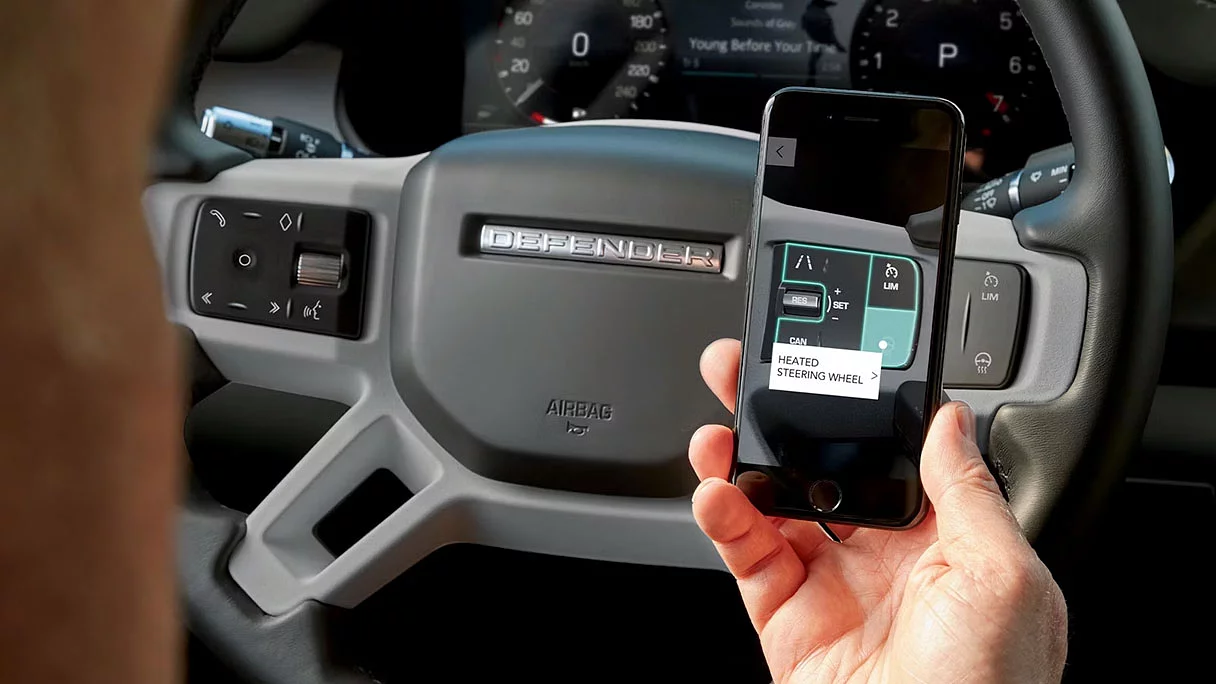
1 گەشتکردن بە پەیوەندیدار پێویستی بە بەشداریکردنی زیاتر دەبێت دوای ماوەی سەرەتایی کە لەلایەن فرۆشیاری لاند ڕۆڤەرەکەتەوە ئامۆژگاری دەکرێت.
٢ ئۆتۆمبێلەکەت بۆ Apple CarPlay ئامادە کراوە. ئەو خزمەتگوزارییانەی کە لەلایەن ئەپڵ کارپلایەوە پێشکەش دەکرێن بەندە بە بەردەستبوونی تایبەتمەندی لە وڵاتەکەتدا، تکایە سەیری بکەن https://www.apple.com/ios/بەردەستبوونی تایبەتمەندی/#apple-carplay بۆ زانیاری زیاتر.
3 ئۆتۆمبێلەکەت بۆ ئەندرۆید ئۆتۆ ئامادە کراوە. ئەو خزمەتگوزارییانەی کە ئەندرۆید ئۆتۆ پێشکەشی دەکات بەندە بە بەردەستبوونی تایبەتمەندی لە وڵاتەکەتدا، تکایە سەیری بکە https://www.android.com/auto/ بۆ زانیاری زیاتر.
4 ڕیمۆت خزمەتگوزارییەکانی بەشداریکردن لەخۆدەگرێت کە دەتوانرێت دوای ماوەی سەرەتایی درێژبکرێتەوە کە لەلایەن فرۆشیاری لاند ڕۆڤەرەکەتەوە ئامۆژگاری دەکرێت. پێویستە ئەپی دوور لە ئەپ ستۆر/گۆگڵ پلەی ستۆر دابەزێنرێت.
5بەشداریکردنی InControl Remote، Secure Tracker یان Secure Tracker Pro و ئەژمێری InControl پێویستە. خزمەتگوزارییەکانی Secure Tracker و Secure Tracker Pro پێویستە چالاک بکرێن و ئۆتۆمبێلەکە دەبێت لە ناوچەیەکدا بێت کە تۆڕەکەی داپۆشێت. بۆ بەردەوامبوون لە بەکارهێنانی تایبەتمەندییە پەیوەندیدارەکە دوای ماوەی سەرەتایی بەشداریکردنی، پێویستە بەشداریکردنەکەت نوێ بکەیتەوە و پارەی نوێکردنەوەی کارپێکراو بدەیت.
6پاکێجی ئۆنلاین پێویستە بەشداریکردنی 12 مانگە. بۆ بەردەوامبوون لە بەکارهێنانی تایبەتمەندییە پەیوەندیدارەکە دوای ماوەی سەرەتایی بەشداریکردنی، پێویستە بەشداریکردنەکەت نوێ بکەیتەوە و پارەی نوێکردنەوەی کارپێکراو بدەیت. تەنها لە بازاڕە بەستراوەکاندا بەردەستە، تکایە لە فرۆشیارەکەت بپرسە. پاکێجی ئۆنلاین بۆ پاکێجی تایبەتمەندی S و سەرووتر.
7 سیاسەتی بەکارهێنانی دادپەروەرانە جێبەجێ دەکرێت. دوای ئەوەی لە ماوەی مانگێکدا 20 گێگابایت داتا بەکاردەهێنرێت، ڕەنگە خێرایی داتا و کارایی لەسەر ئۆتۆمبێل بۆ ماوەی مانگەکە کەم ببێتەوە.
8 نوێکردنەوەکە بەندە بە ڕەزامەندی خاوەن/شۆفێر. پەیوەندی تۆڕ پێویستە.